Interactive Path Editing in 2D and 3D
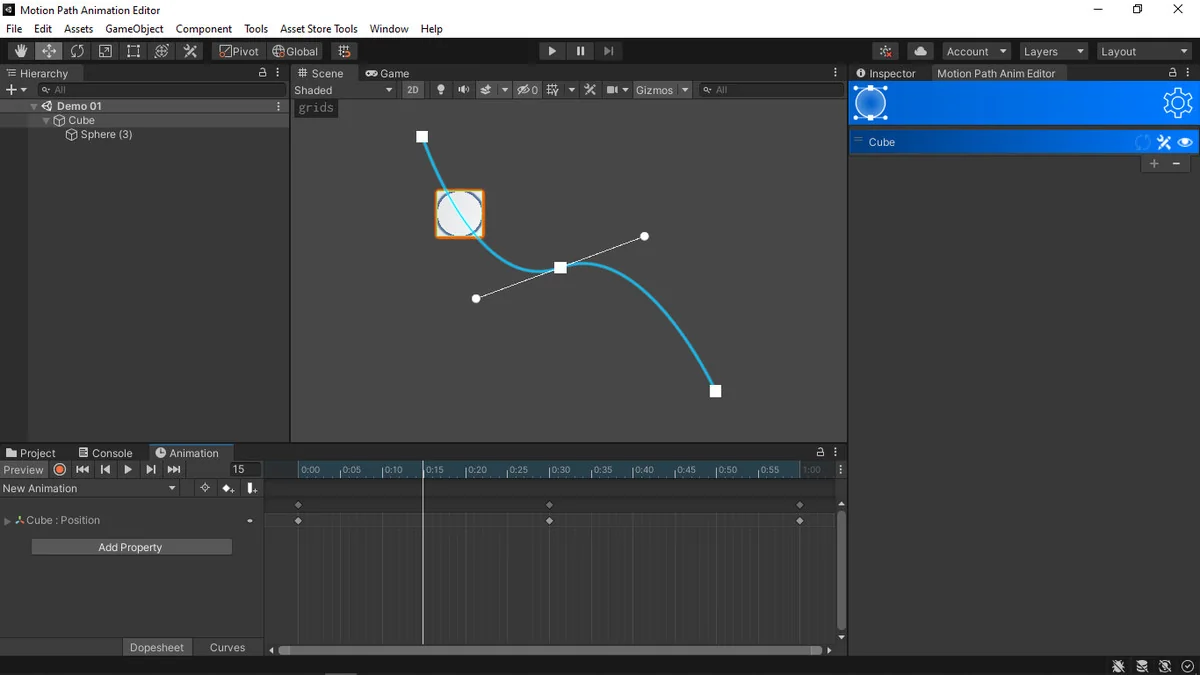
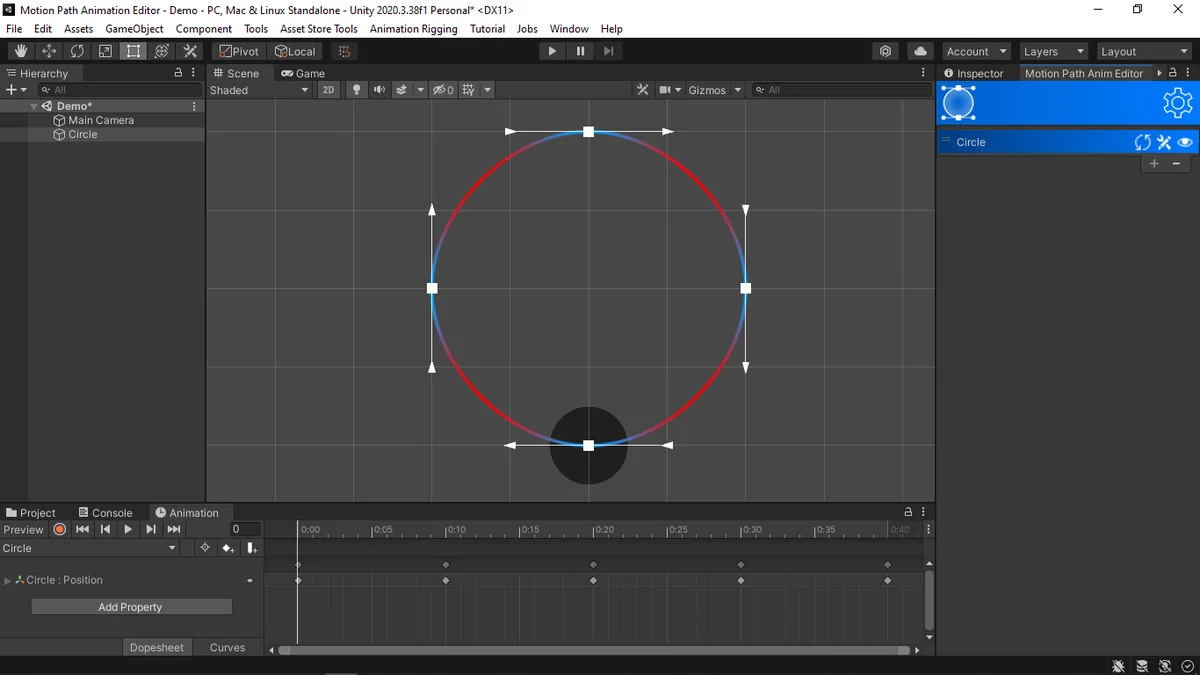
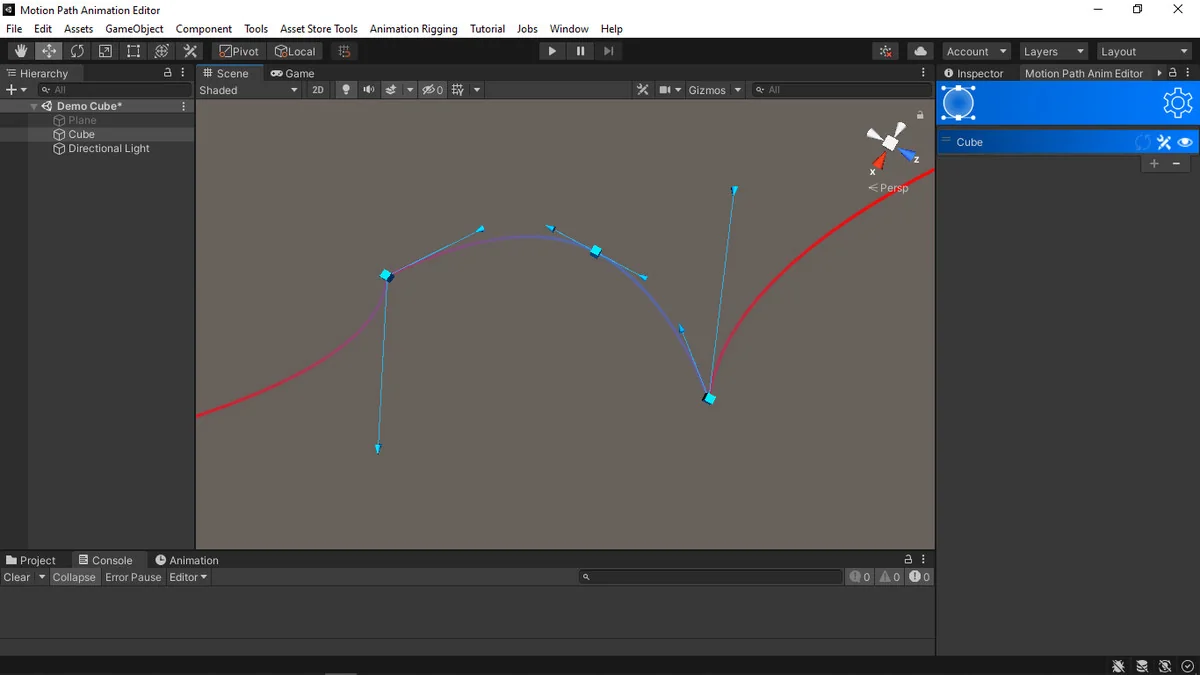
The Motion Path Animation Editor is an extension designed to bridge the gap between the Animation window and the Scene view in Unity. It functions by identifying the active animation clip and visualizing the object’s movement as a physical path. This visualization is not merely for observation; it allows for direct modification of the animation. If the animation is composed of position changes, the tool provides handles within the Scene view, enabling developers to click and drag points to adjust the trajectory of an object. This functionality remains consistent regardless of whether the developer is working in a 2D or 3D view, providing a spatial context for keyframe data that is often difficult to interpret through curves alone.
Synchronized Workflow with the Animation Window
Integration with existing Unity workflows is central to the tool’s design. The editor automatically detects the visible time range in the Unity Animation window, ensuring that the visualized motion path matches the specific segment currently being edited. This synchronization eliminates the need for manual time-range sliders, which were present in earlier iterations of the tool. By operating based on the Animation window’s current state, the tool maintains a clean interface while keeping the visualized data relevant to the current task.
For long-term projects, the Motion Path Lists are stored permanently on a per-animation-clip basis. This ensures that custom configurations or selections for specific clips remain intact between sessions, preventing the need to reconfigure the visualization every time a specific asset is reopened for polish or adjustment.
Advanced Handling of Keyframe Data
A significant technical aspect of the editor is its ability to handle complex keyframe arrangements. In many animation scenarios, keyframes for the X, Y, and Z axes are not perfectly aligned; one axis might have more keyframes than another, or keyframe times might be mismatched across different dimensions. The editor supports these non-aligned keyframe structures, allowing for accurate path visualization even when the underlying data is asymmetrical. This robustness ensures that the tool can be used on a wide variety of clips without requiring the developer to manually clean up or align their keyframes beforehand.
Visual Aids and Automation
To provide better feedback during the animation process, the editor includes several togglable visual aids. Developers can enable time ticks and time labels along the motion paths, which are managed through the Preferences window. These labels provide immediate visual confirmation of where a specific moment in time sits along the physical path in 3D space. Additionally, a right-click toggle in the Motion Path List allows users to quickly show or hide specific buttons and columns, keeping the UI focused on the necessary tools.
The tool also includes an Auto Rotation feature. This utility automatically generates rotation keyframes based on the direction of movement along the path. This automation is particularly useful for objects that need to orient themselves toward their destination, reducing the manual labor involved in synchronizing rotation curves with movement trajectories.
Technical Maintenance and Compatibility
The editor is built for Unity 2020.3.38 and remains compatible across the standard render pipelines, including Built-in, HDRP, URP, and Custom Scriptable Render Pipelines (SRP). The package is lightweight, consisting of approximately 70 assets within a unitypackage format. Ongoing updates have addressed specific technical hurdles, such as ensuring motion paths recover automatically if they are lost and fixing various null reference exceptions that could occur when using the ‘Filter by Selection’ feature in the Animation Window.
This tool serves as the successor to the previous AnimHelper utility. Developers transitioning from the older version are advised by the creator to remove the previous files before importing this version to ensure a clean setup of the updated Motion Path Animation Editor features.
Visual Breakdown
Protected download
Access this resource
All resources are 100% manually reviewed to eliminate all risks.