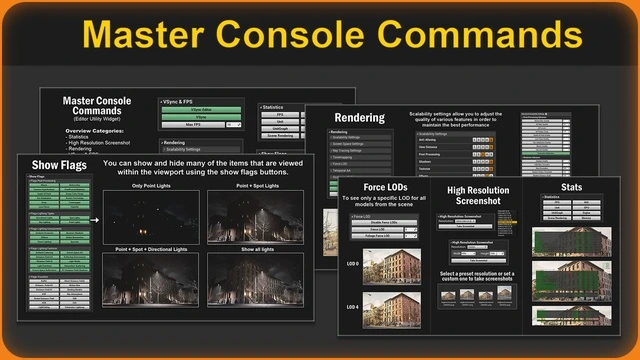
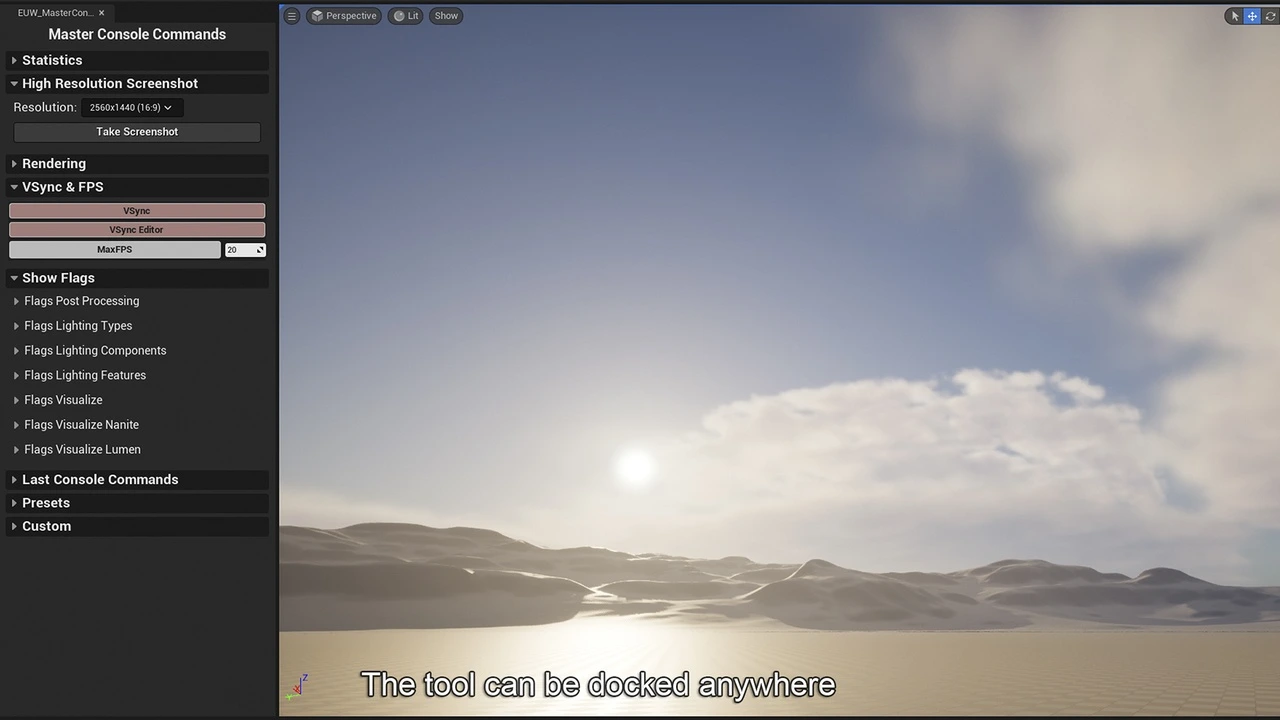
Stop memorizing and typing endless console commands. Master Console Commands is the ultimate visual utility that transforms Unreal Engine’s powerful but cryptic command line into an intuitive, click-based UI. This tool is essential for any developer who wants to debug, test, and iterate faster and more efficiently.
This is your central hub for controlling everything from rendering and performance to next-gen features like Nanite and Lumen.
Key Features & Benefits:
- Effortless Visual Control:
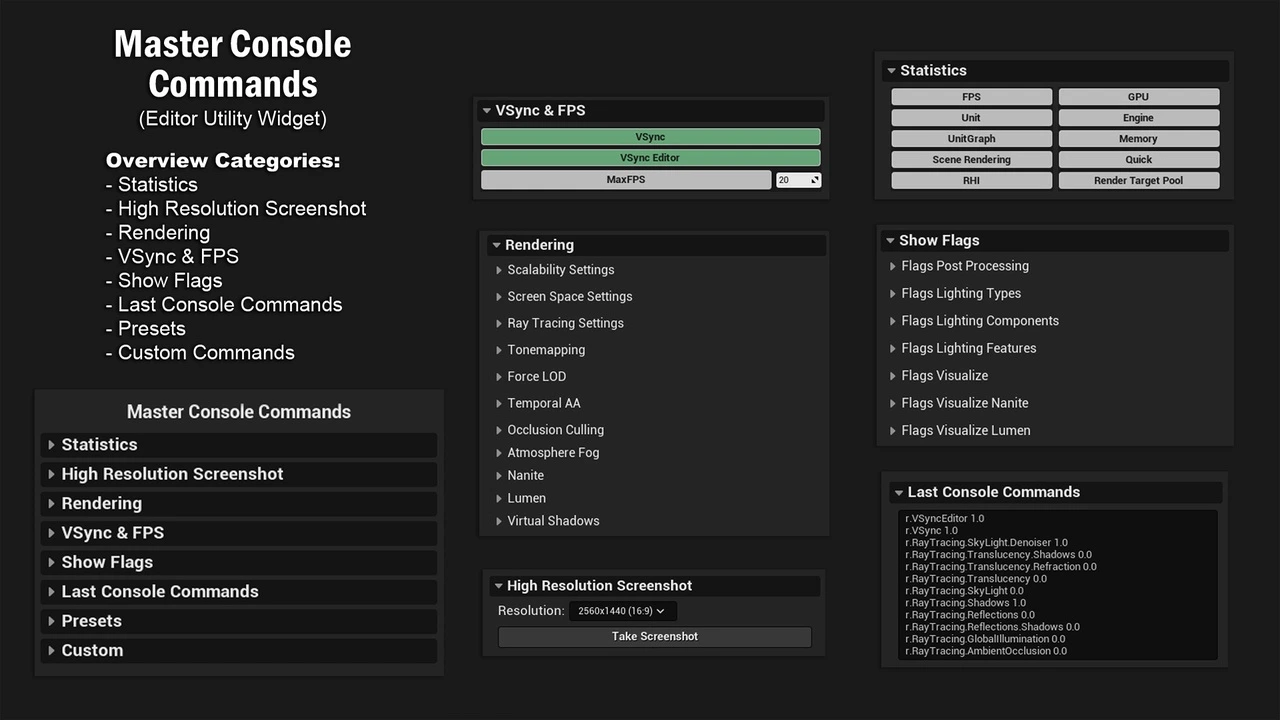
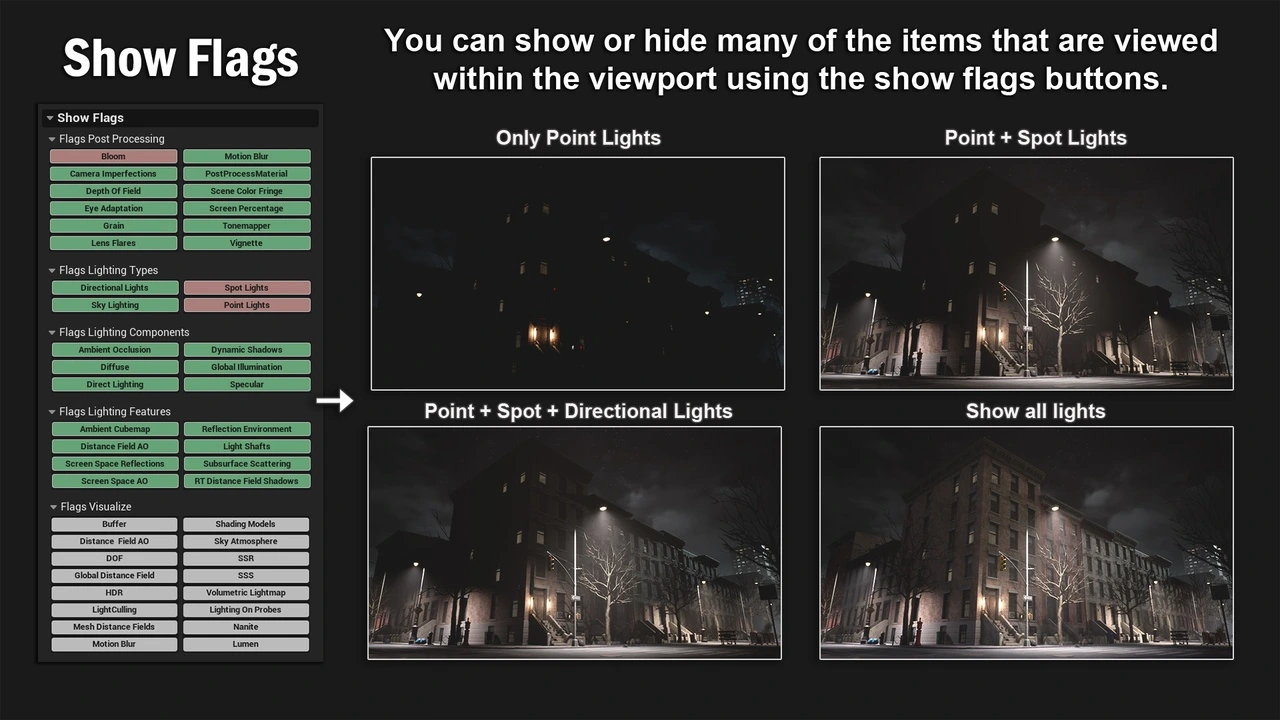
Forget about typos and forgotten commands. This tool provides you with a clean, visual interface to instantly access and toggle dozens of the most common and useful console commands. See the state of any command at a glance—active buttons turn green, inactive ones are red. - Powerful Debugging for Next-Gen Features:
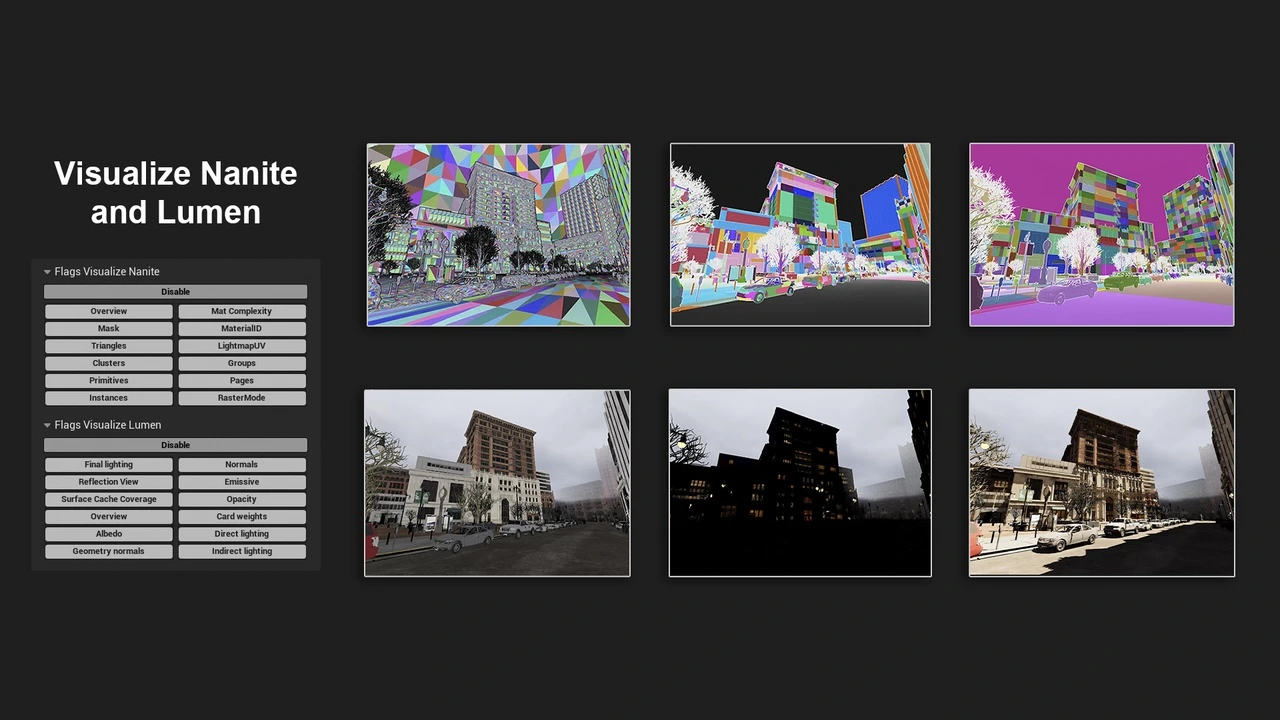
Take full control of Unreal Engine’s most advanced features with dedicated, easy-to-use sections for:- Nanite & Lumen: Visualize and debug your Nanite meshes and Lumen lighting with a single click.
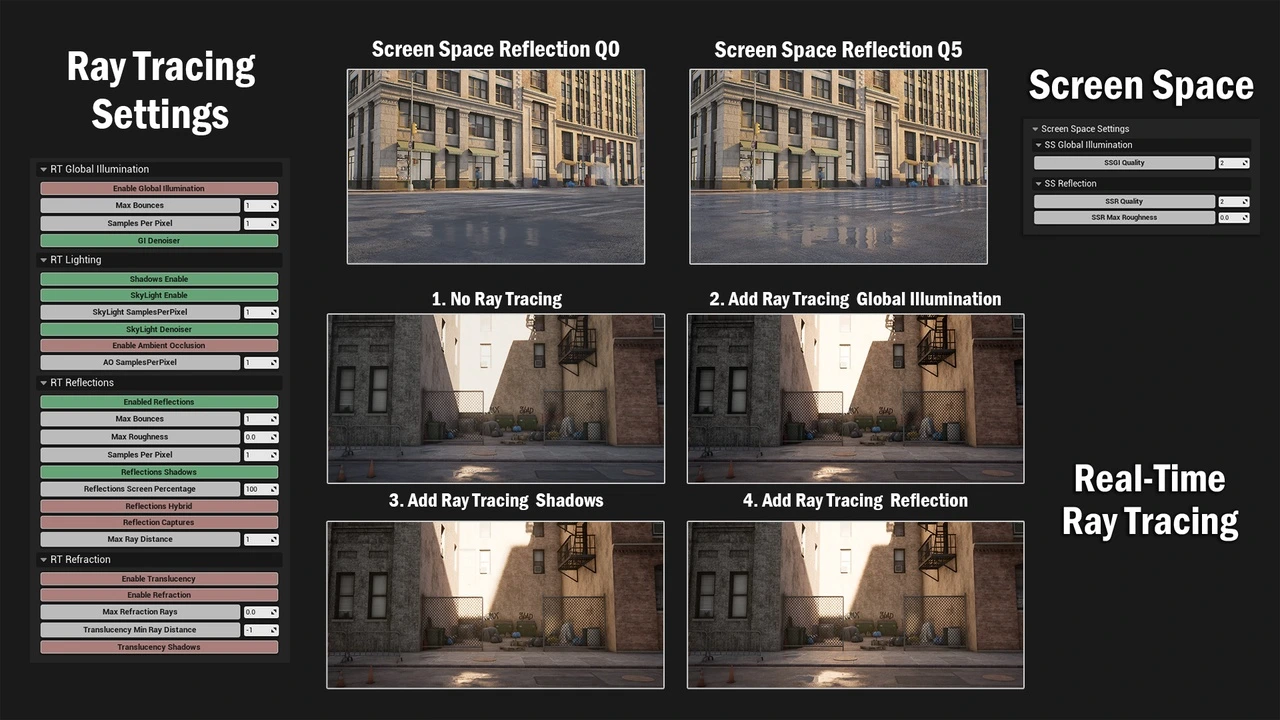
- Ray Tracing: Quickly toggle and adjust Ray Tracing settings.
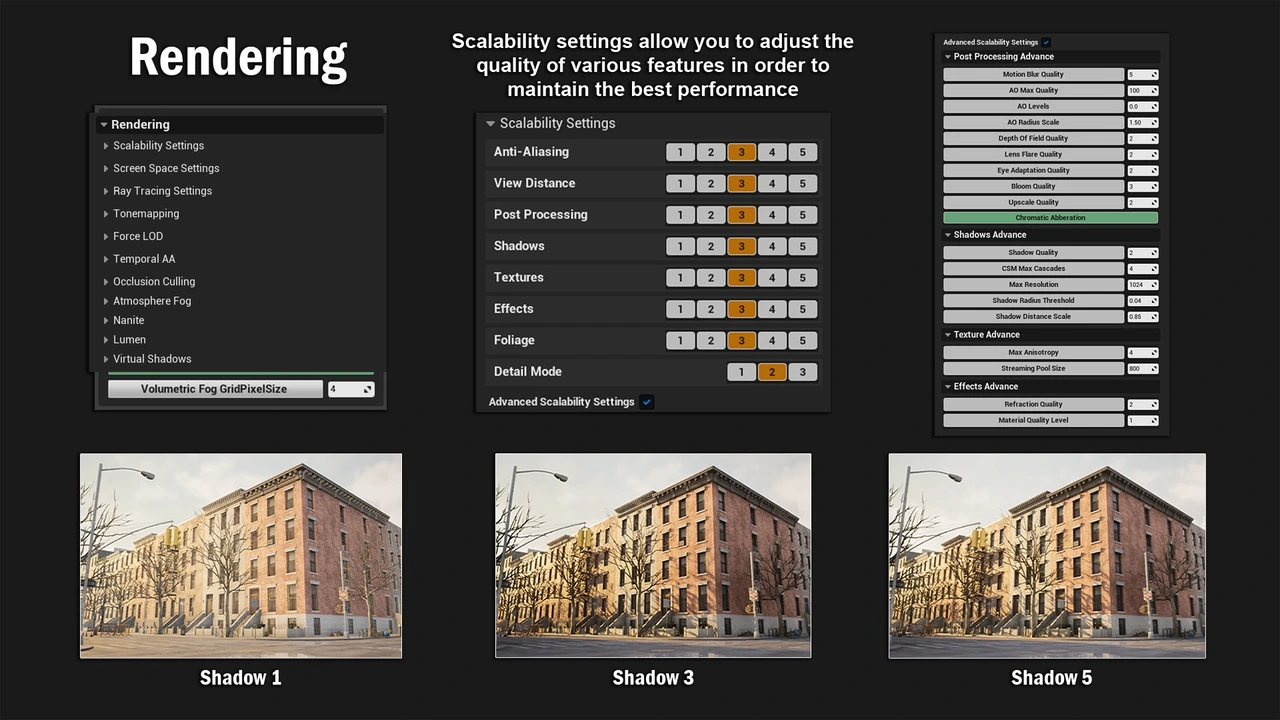
- Performance: Access scalability settings, manage VSync & FPS, and check statistics on the fly.
- Rendering & Lighting: Fine-tune everything from occlusion culling and virtual texturing to specific lighting components and features.
- Your Own Custom Command Center:
Go beyond the presets. The most powerful feature of this tool is the ability to add your own custom console commands. This is perfect for project-specific debug flags, team-wide testing shortcuts, or any command you use frequently. You can easily set up commands with Integer, Float, or Boolean values. - High-Quality Utility Features:
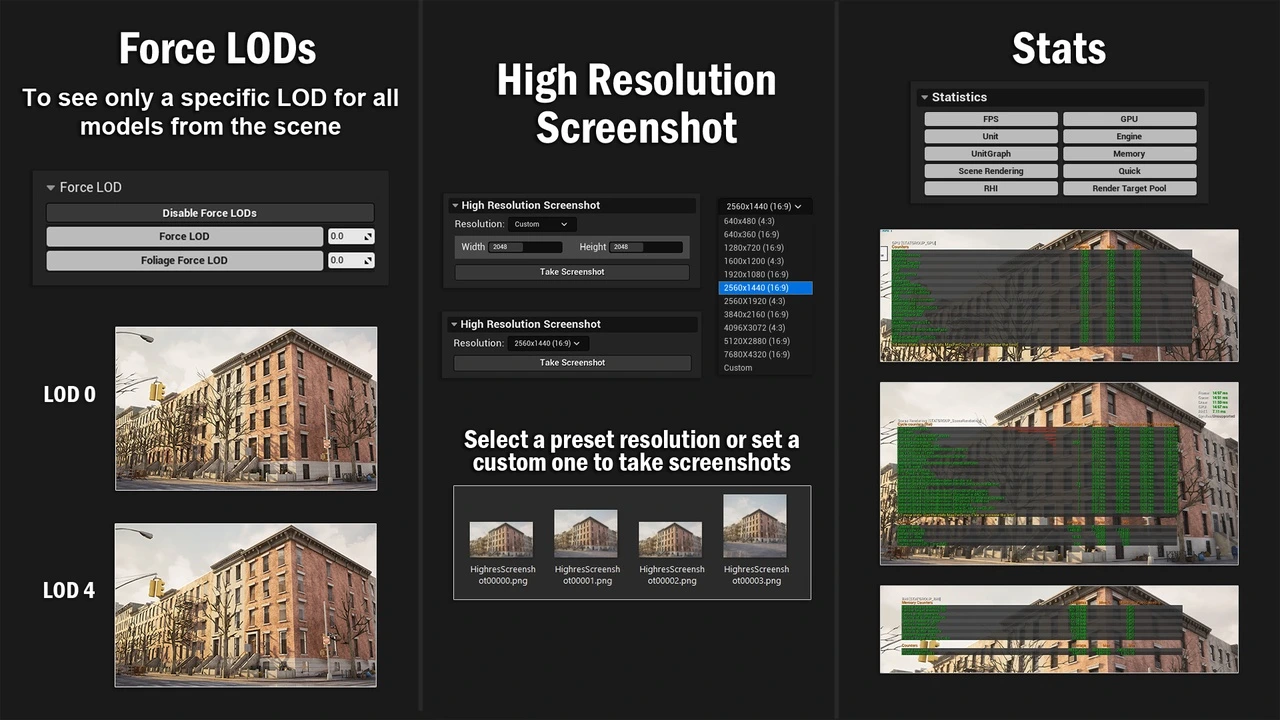
The tool also includes high-demand utilities like a High-Resolution Screenshot tool with preset and custom resolutions, making it easy to capture stunning images for marketing or documentation.
Comprehensive Command Categories:
- Statistics & Profiling
- Rendering & Scalability (Nanite, Lumen, Ray Tracing, Virtual Texturing)
- Lighting (Types, Components, Features)
- Show Flags & Visualization
- Post Processing & Tonemapping
- Performance (VSync, FPS, Occlusion Culling)
- And your own Custom Commands!
Important Setup Note:
To use this tool, please ensure the “Editor Scripting Utilities” Plugin is enabled in your project’s settings.
In summary, Master Console Commands is an essential, time-saving tool that will revolutionize your debugging and testing workflow. Stop debugging in the dark and take visual, intuitive control of your project today.
Download MARS Master Material – Powerful Material System for Unreal Engine
Click here to view the full details of the resource.:URL
Click the button below to download.
Download: