"c68a05d5e51405b3"{"id":"1000623","slug":"interaction-toolkit","title":"Interaction Toolkit +","category":"Characters \u0026 Creatures","engine":"4.27,5.0+","assetVersion":"","engineVersion":"Engine Version: 4.27,5.0+","tag":"Characters","accent":"blue","visual":"character","summary":"An actor component for adding tap, hold, and mash interactions to any actor with one click, featuring off-screen indicators and a detailed inspection system.","platform":"Unreal Engine","publishedAt":"2026-07-21T08:35:07.116Z","updatedAt":"2026-07-21T08:35:07.116Z","sourceNotes":[],"fileContents":[],"compatibility":["Unreal Engine","Engine Version: 4.27,5.0+"],"featuredImage":{"alt":"Interaction Toolkit +","src":"/wp-content/uploads/published/2026/07/2ad4a132e73e-30790215-a493-4dc4-be08-2b051342e59e-4181f3f3c3.webp"},"hasDownloadLink":true,"downloads":3,"terms":[{"taxonomy":"category","slug":"characters-and-creatures","name":"Characters \u0026 Creatures"}],"galleryImages":[{"src":"/wp-content/uploads/published/2026/07/f5967f8df88f-0e6faee4-6e1f-427a-b68c-9320eae608e5-ab08bc399b.webp","alt":"Interaction Toolkit +"},{"src":"/wp-content/uploads/published/2026/07/66aac2ccad35-0f0a842c-8a11-4005-bc2d-092aa5ec0964-f0c4363e24.webp","alt":"Interaction Toolkit +"},{"src":"/wp-content/uploads/published/2026/07/877c910e7d6f-368d183c-0354-493b-961d-8966854f36e8-c8aa350768.webp","alt":"Interaction Toolkit +"},{"src":"/wp-content/uploads/published/2026/07/6ddb54db28c0-bf8ff2d1-6e77-4b84-9172-a0768b62bf5a-58316c6974.webp","alt":"Interaction Toolkit +"},{"src":"/wp-content/uploads/published/2026/07/1acce32bd4ca-64d4b074-55ab-4066-a3c2-79d57a98264e-aa84a71dd1.webp","alt":"Interaction Toolkit +"},{"src":"/wp-content/uploads/published/2026/07/705fe0bd918e-87d733cf-75f9-4680-b322-bdc98439e388-6d0d1cb05b.webp","alt":"Interaction Toolkit +"},{"src":"/wp-content/uploads/published/2026/07/3221fc7a2340-a4a8c904-d9d7-40ea-8056-7065f76b40dc-4c5e0f1940.webp","alt":"Interaction Toolkit +"},{"src":"/wp-content/uploads/published/2026/07/ec1fea57d637-e5bfa802-c9e5-48e7-a352-fcf7a2dd3154-066dd3afee.webp","alt":"Interaction Toolkit +"},{"src":"/wp-content/uploads/published/2026/07/47618323e577-182f9b2a-f466-413f-b266-02774a6efd36-edba2616f4.webp","alt":"Interaction Toolkit +"},{"src":"/wp-content/uploads/published/2026/07/3ea3df2e80ea-2d0daa6c-9b2f-4e65-925e-e849ac1bc4df-bf7181824f.webp","alt":"Interaction Toolkit +"}],"accessPanel":{"kind":"resource","title":"Download this resource","eyebrow":"Free Download","message":"Log in or create a free account to start your download.","fileName":"Content.7z","safetyNote":"Resources are manually reviewed before listing to improve quality and reduce obvious risks.","actionLabel":"Download Free","resourceType":"Resource archive"},"contentHtml":"\u003cp\u003eBuilding a game environment filled with interactable objects often means wiring up custom input logic for every new prop, door, or pickup. Interaction Toolkit + approaches that workflow problem by collapsing the coreInteraction setup into an actor component that attaches to any actor in a single click. The stated goal is reducing the amount of manual coding required, allowing designers to drop interactivity into scenes without writing bespoke input handling for each object.\u003c/p\u003e \u003ch2\u003eAdding interactivity to any actor without code\u003c/h2\u003e \u003cp\u003eAt the center of the package is the AC_Interaction Toolkit, an actor component that encapsulates the input logic and interaction flow. Because the functionality lives inside a component rather than a specific actor class, it can be applied to existing actors in a scene. The creator emphasizes that the system works right out of the box with almost no coding required, which positions it as a tool for designers who want to iterate quickly on interactive scenes without diving into Blueprint input graphs each time a new interactable object is introduced.\u003c/p\u003e \u003cp\u003eThe system supports gamepad controls, keeping input schemes consistent across desktop and controller-based play. That support extends across all three of the included interaction types, so a player can tap, hold, or mash a button on a gamepad to trigger the appropriate response from the target actor.\u003c/p\u003e \u003ch3\u003eThree interaction types: Tap, Hold Down, and Mash\u003c/h3\u003e \u003cp\u003eInteraction Toolkit + provides three distinct interaction models that cover common game mechanics:\u003c/p\u003e \u003cul\u003e\n\u003cli\u003e\u003cstrong\u003eTap\u003c/strong\u003e – A single button press triggers the interaction. Useful for simple binary actions like picking up an item or activating a lever.\u003c/li\u003e\n\u003cli\u003e\u003cstrong\u003eHold Down\u003c/strong\u003e – The player must maintain input over a duration before the interaction completes. This fits mechanics like charging a device or slowly prying something open.\u003c/li\u003e\n\u003cli\u003e\u003cstrong\u003eMash\u003c/strong\u003e – Rapid repeated presses drive the interaction forward, which suits physically demanding actions within gameplay.\u003c/li\u003e\n\u003c/ul\u003e \u003cp\u003eBecause these three types are available through the same component, a project can mix them across different actors without swapping systems. A collectible gem might use a simple Tap, while a heavy environmental mechanism relies on Hold Down, and a puzzle element requires Mash input. The toolkit handles the input distinctions internally, leaving the level designer to choose which type applies to each interactable actor.\u003c/p\u003e \u003ch2\u003eKeeping players aware of interactable objects off-screen\u003c/h2\u003e \u003cp\u003eOne of the included features is an indicator system that highlights interactable objects, including those that are currently off-screen. This matters in larger environments where a player might be facing away from a usable object or where interactable props are scattered around a room at different heights. Instead of relying solely on proximity or direct line-of-sight, the indicator continues to signal available interaction opportunities, which helps prevent players from wandering past objects they are meant to engage with.\u003c/p\u003e \u003cp\u003eThe indicator integrates with the underlying interaction component, so any actor tagged as interactable can carry the same visual guidance. This keeps the presentation consistent regardless of which of the three interaction types the object uses.\u003c/p\u003e \u003ch2\u003eAdding detailed object inspection with AC_Inspection\u003c/h2\u003e \u003cp\u003eBeyond the core interaction component, the package includes AC_Inspection, a separate component dedicated to detailed object examination. It leverages the AC_Interaction Toolkit to enable players to rotate, examine, and interact with objects closely with just a few clicks. This turns a standard interactable prop into something the player can hold and study, which is particularly useful for games that rely on item detail as part of their narrative or puzzle flow.\u003c/p\u003e \u003cp\u003eThe inspection component is built to be applied to any actor in the game, following the same attach-and-go philosophy as the interaction toolkit itself. By building on the existing interaction framework, AC_Inspection keeps input handling unified rather than requiring a separate control scheme for examined objects. A player can approach an item, initiate interaction through the core toolkit, and then seamlessly move into a closer inspection where they rotate and examine it.\u003c/p\u003e \u003ch3\u003eCollectibles, puzzle elements, and environmental objects\u003c/h2\u003e \u003cp\u003eThe components are intended for scenarios where meaningful interaction elevates the scene. Collectible items benefit from the inspection functionality, as players can rotate and examine objects they pick up, adding weight to discovery. Puzzle elements can use any of the three interaction types—Tap for simple triggers, Hold Down for sustained actions, or Mash for forceful interactions. Detailed environmental objects, such as mechanisms or interactive props placed throughout a level, can carry the interaction component and the indicator so players always know where to direct their attention.\u003c/p\u003e \u003ch2\u003ePackage composition and practical application\u003c/h2\u003e \u003cp\u003eThe toolkit consists of two primary actor components: the AC_Interaction Toolkit and AC_Inspection. The interaction component handles the three input types and the off-screen indicator, while the inspection component extends that foundation to allow close-up rotation and examination. The inclusion of the indicator system within the interaction toolkit means that object visibility and interactable cues are handled at the component level rather than requiring a separate UI integration.\u003c/p\u003e \u003cp\u003eDocumentation and setup resources accompany the toolkit. A video showcase, written documentation, and a video setup guide are provided, giving users multiple ways to learn the system. The creator also references model sources used within the toolkit: the \"Suzanne Monkey\" model from Blender and the Unreal Engine 4 Content Example map. These models serve as sample actors for demonstrating the interaction and inspection functionality.\u003c/p\u003e \u003cp\u003eBecause both components follow an attach-to-actor approach, the toolkit is suitable for projects that already have art assets in place and need interaction logic layered on top. Designers working on exploration-heavy games, puzzle adventures, or any project where item interaction and examination play a central role will find the component-based workflow reduces the overhead of building interaction systems from scratch. The one-click attachment model makes it easy to prototype different interaction types across a variety of actors and then refine which specific input model each object uses.\u003c/p\u003e\n\n\u003ch2\u003eRelated Resources Worth Checking\u003c/h2\u003e\n\u003cul\u003e\n\u003cli\u003e\u003ca href=\"https://3dcghub.com/female-interaction-animation-pack/\" title=\"Female Interaction Animation Pack\"\u003eFemale Interaction Animation Pack\u003c/a\u003e\u003c/li\u003e\n\u003cli\u003e\u003ca href=\"https://3dcghub.com/1950s-characters-bundle-1950s-characters-bundle-1950-character-gangster-3d/\" title=\"1950s Characters Bundle ( 1950s Characters Bundle 1950 Character Gangster 3D )\"\u003e1950s Characters Bundle ( 1950s Characters Bundle 1950 Character Gangster 3D )\u003c/a\u003e\u003c/li\u003e\n\u003cli\u003e\u003ca href=\"https://3dcghub.com/bull-emperor/\" title=\"Bull Emperor\"\u003eBull Emperor\u003c/a\u003e\u003c/li\u003e\n\u003cli\u003e\u003ca href=\"https://3dcghub.com/f3-modern-girl-ashley/\" title=\"F3 Modern Girl Ashley\"\u003eF3 Modern Girl Ashley\u003c/a\u003e\u003c/li\u003e\n\u003cli\u003e\u003ca href=\"https://3dcghub.com/zombie-02-game-assets-extra/\" title=\"Zombie 02 - Game Assets + Extra\"\u003eZombie 02 - Game Assets + Extra\u003c/a\u003e\u003c/li\u003e\n\u003c/ul\u003e","contentTextLength":6645,"navigation":{"current":1382,"total":3860,"previous":{"id":"1000624","slug":"jobsite-vol-1-dropcloth-nanite-and-low-poly","title":"Jobsite VOL.1 - Dropcloth (Nanite \u0026 Low Poly)","category":"Home","platform":"Unreal Engine","updatedAt":"2026-07-21T09:02:11.063Z"},"next":{"id":"1000622","slug":"hq-pendant-lamps-vol-2","title":"HQ Pendant Lamps Vol. 2","category":"Buildings \u0026 Architecture","platform":"Unreal Engine","updatedAt":"2026-07-21T08:25:40.736Z"}},"relatedResources":[{"id":"1000904","slug":"visai-companion-modern-ai-framework","title":"VisAI - Companion - Modern AI Framework","category":"Characters \u0026 Creatures","engine":"4.26+,5.0+","assetVersion":"","engineVersion":"Engine Version: 4.26+,5.0+","tag":"Characters","accent":"blue","visual":"character","summary":"Modern multiplayer-ready AI framework for RPGs with relationship-driven companion behavior, command UI, interaction system, and detailed example map.","platform":"Unreal Engine","publishedAt":"2026-08-06T05:14:19.512Z","updatedAt":"2026-08-06T05:14:19.512Z","sourceNotes":[],"fileContents":[],"compatibility":["Unreal Engine","Engine Version: 4.26+,5.0+"],"featuredImage":{"alt":"VisAI - Companion - Modern AI Framework","src":"/wp-content/uploads/published/2026/08/f36621fe8598-3cb25636-0a21-4666-aa5a-30c1a53d8a4a-1dee5f108d.webp"},"hasDownloadLink":true,"downloads":0},{"id":"1000184","slug":"infinite-characters-collection-over-230-characters-extra-stigma-studios","title":"Infinite Characters Collection – Over 230 Characters + Extra | STIGMA STUDIOS","category":"Characters \u0026 Creatures","engine":"4.27,5.0+","assetVersion":"","engineVersion":"Engine Version: 4.27,5.0+","tag":"Characters","accent":"blue","visual":"character","summary":"A massive Unreal Engine character collection with over 230 characters, armor, weapons, material variants, and ongoing future updates.","platform":"Unreal Engine","publishedAt":"2026-06-21T17:34:28.433Z","updatedAt":"2026-08-23T13:14:17.209Z","sourceNotes":[],"fileContents":[],"compatibility":["Unreal Engine","Engine Version: 4.27,5.0+"],"featuredImage":{"alt":"Infinite Characters Collection – Over 230 Characters + Extra | STIGMA STUDIOS","src":"/wp-content/uploads/published/2026/06/26476fb360bb-f2bcdade-6b80-4803-903a-68e84d350b6b-f00df84586.webp"},"hasDownloadLink":true,"downloads":16},{"id":"1001167","slug":"modular-soldier-opb-full","title":"Modular Soldier OPB Full","category":"Characters \u0026 Creatures","engine":"4.27,5.0+","assetVersion":"","engineVersion":"Engine Version: 4.27,5.0+","tag":"Characters","accent":"blue","visual":"character","summary":"Examine the Modular Soldier OPB Full pack, featuring UE4 and MetaHuman skeletons, 17 skeletal meshes, 4K textures, Lyra support, and mobile LOD scaling.","platform":"Unreal Engine","publishedAt":"2026-09-16T15:17:15.509Z","updatedAt":"2026-09-16T15:17:15.509Z","sourceNotes":[],"fileContents":[],"compatibility":["Unreal Engine","Engine Version: 4.27,5.0+"],"featuredImage":{"alt":"Modular Soldier OPB Full","src":"/wp-content/uploads/published/2026/09/ea2ebd97c5f3-6fd23319-3d68-435c-a7cb-60a62bd850ca-000d21f799.webp"},"hasDownloadLink":true,"downloads":4}]}
Characters
Interaction Toolkit +
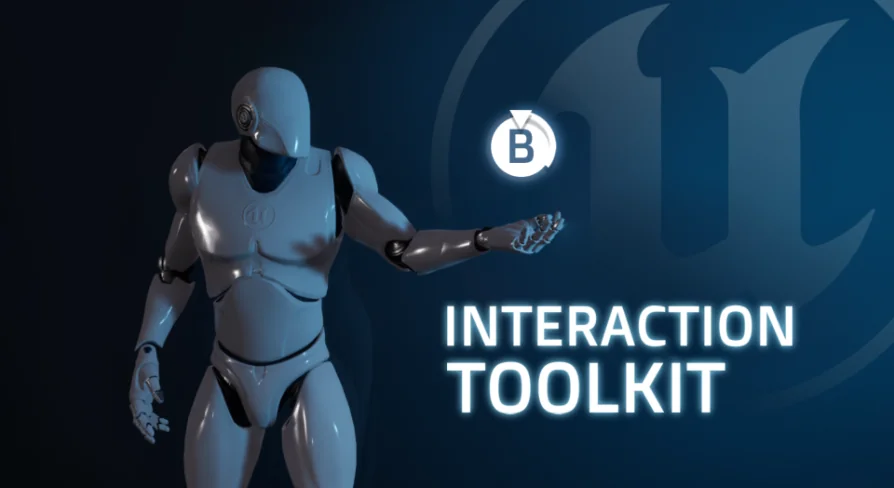
An actor component for adding tap, hold, and mash interactions to any actor with one click, featuring off-screen indicators and a detailed inspection system.
Building a game environment filled with interactable objects often means wiring up custom input logic for every new prop, door, or pickup. Interaction Toolkit + approaches that workflow problem by collapsing the coreInteraction setup into an actor component that attaches to any actor in a single click. The stated goal is reducing the amount of manual coding required, allowing designers to drop interactivity into scenes without writing bespoke input handling for each object.
Adding interactivity to any actor without code
At the center of the package is the AC_Interaction Toolkit, an actor component that encapsulates the input logic and interaction flow. Because the functionality lives inside a component rather than a specific actor class, it can be applied to existing actors in a scene. The creator emphasizes that the system works right out of the box with almost no coding required, which positions it as a tool for designers who want to iterate quickly on interactive scenes without diving into Blueprint input graphs each time a new interactable object is introduced.
The system supports gamepad controls, keeping input schemes consistent across desktop and controller-based play. That support extends across all three of the included interaction types, so a player can tap, hold, or mash a button on a gamepad to trigger the appropriate response from the target actor.
Three interaction types: Tap, Hold Down, and Mash
Interaction Toolkit + provides three distinct interaction models that cover common game mechanics:
Tap – A single button press triggers the interaction. Useful for simple binary actions like picking up an item or activating a lever.
Hold Down – The player must maintain input over a duration before the interaction completes. This fits mechanics like charging a device or slowly prying something open.
Mash – Rapid repeated presses drive the interaction forward, which suits physically demanding actions within gameplay.
Because these three types are available through the same component, a project can mix them across different actors without swapping systems. A collectible gem might use a simple Tap, while a heavy environmental mechanism relies on Hold Down, and a puzzle element requires Mash input. The toolkit handles the input distinctions internally, leaving the level designer to choose which type applies to each interactable actor.
Keeping players aware of interactable objects off-screen
One of the included features is an indicator system that highlights interactable objects, including those that are currently off-screen. This matters in larger environments where a player might be facing away from a usable object or where interactable props are scattered around a room at different heights. Instead of relying solely on proximity or direct line-of-sight, the indicator continues to signal available interaction opportunities, which helps prevent players from wandering past objects they are meant to engage with.
The indicator integrates with the underlying interaction component, so any actor tagged as interactable can carry the same visual guidance. This keeps the presentation consistent regardless of which of the three interaction types the object uses.
Adding detailed object inspection with AC_Inspection
Beyond the core interaction component, the package includes AC_Inspection, a separate component dedicated to detailed object examination. It leverages the AC_Interaction Toolkit to enable players to rotate, examine, and interact with objects closely with just a few clicks. This turns a standard interactable prop into something the player can hold and study, which is particularly useful for games that rely on item detail as part of their narrative or puzzle flow.
The inspection component is built to be applied to any actor in the game, following the same attach-and-go philosophy as the interaction toolkit itself. By building on the existing interaction framework, AC_Inspection keeps input handling unified rather than requiring a separate control scheme for examined objects. A player can approach an item, initiate interaction through the core toolkit, and then seamlessly move into a closer inspection where they rotate and examine it.
Collectibles, puzzle elements, and environmental objects
The components are intended for scenarios where meaningful interaction elevates the scene. Collectible items benefit from the inspection functionality, as players can rotate and examine objects they pick up, adding weight to discovery. Puzzle elements can use any of the three interaction types—Tap for simple triggers, Hold Down for sustained actions, or Mash for forceful interactions. Detailed environmental objects, such as mechanisms or interactive props placed throughout a level, can carry the interaction component and the indicator so players always know where to direct their attention.
Package composition and practical application
The toolkit consists of two primary actor components: the AC_Interaction Toolkit and AC_Inspection. The interaction component handles the three input types and the off-screen indicator, while the inspection component extends that foundation to allow close-up rotation and examination. The inclusion of the indicator system within the interaction toolkit means that object visibility and interactable cues are handled at the component level rather than requiring a separate UI integration.
Documentation and setup resources accompany the toolkit. A video showcase, written documentation, and a video setup guide are provided, giving users multiple ways to learn the system. The creator also references model sources used within the toolkit: the "Suzanne Monkey" model from Blender and the Unreal Engine 4 Content Example map. These models serve as sample actors for demonstrating the interaction and inspection functionality.
Because both components follow an attach-to-actor approach, the toolkit is suitable for projects that already have art assets in place and need interaction logic layered on top. Designers working on exploration-heavy games, puzzle adventures, or any project where item interaction and examination play a central role will find the component-based workflow reduces the overhead of building interaction systems from scratch. The one-click attachment model makes it easy to prototype different interaction types across a variety of actors and then refine which specific input model each object uses.
 Characters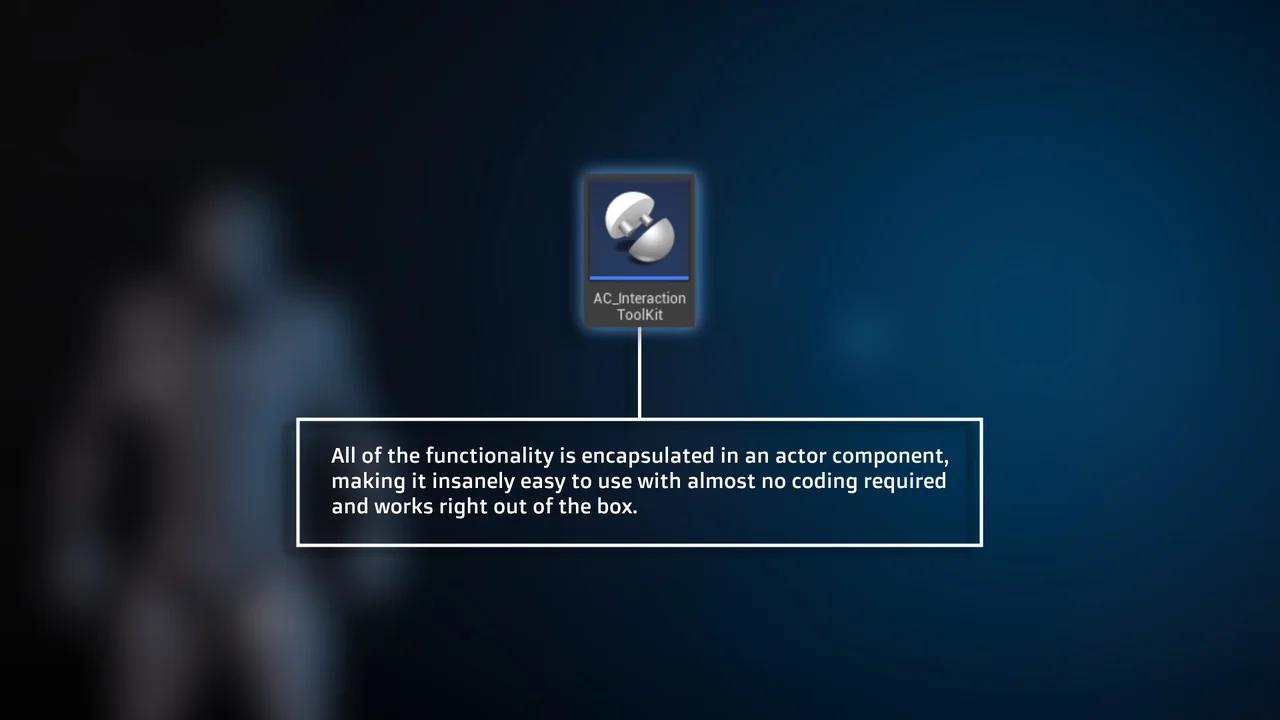
 Characters
 Characters
 Characters