"6ac84fdb0bd06614"{"id":"18102","slug":"gui-yellow-kid","title":"GUI - Yellow Kid","category":"GUI","engine":"Original Unity version: 2021.3.30","assetVersion":"Original Unity version: 2021.3.30","engineVersion":"Asset Version:2.1.1","tag":"GUI","accent":"cyan","visual":"city","summary":"Enhance your game's visual interface with the GUI - Yellow Kid asset. This package offers high-resolution graphics, editable vector layers, and over 98 prefabs for a streamlined workflow.","platform":"Unity","publishedAt":"2026-03-15T15:53:34.000Z","updatedAt":"2026-04-19T15:43:23.000Z","sourceNotes":[],"fileContents":[],"compatibility":["Unity","Original Unity version: 2021.3.30","Asset Version: 2.1.1"],"featuredImage":{"alt":"GUI - Yellow Kid","src":"https://3dcghub.com/wp-content/uploads/2026/03/033b390e40d6_31957399-813d-4688-b4c8-07a15a1db941_1280x720_stretch.webp"},"hasDownloadLink":true,"downloads":0,"terms":[{"taxonomy":"category","slug":"gui-2d","name":"GUI"},{"taxonomy":"post_tag","slug":"animation","name":"Animation"},{"taxonomy":"post_tag","slug":"characters","name":"Characters"},{"taxonomy":"post_tag","slug":"environment","name":"Environment"},{"taxonomy":"post_tag","slug":"gui-yellow-kid","name":"GUI Yellow Kid"},{"taxonomy":"post_tag","slug":"ui","name":"UI"},{"taxonomy":"post_tag","slug":"unity","name":"Unity"}],"galleryImages":[{"src":"https://3dcghub.com/wp-content/uploads/2026/03/c787f6a1a79d_4c2ef554-3885-4f3d-9467-599b85c06aea_scaled.webp","alt":"GUI - Yellow Kid"},{"src":"https://3dcghub.com/wp-content/uploads/2026/03/064ba029ef17_1585d34f-69c8-4f3d-b7c8-ddf19f814199_scaled.webp","alt":"GUI - Yellow Kid"},{"src":"https://3dcghub.com/wp-content/uploads/2026/03/e29147ddc800_24484b76-e1bd-41ee-b2a7-d6589cf2cd01_scaled.webp","alt":"GUI - Yellow Kid"},{"src":"https://3dcghub.com/wp-content/uploads/2026/03/21feaa5311fb_b8a30191-4771-42f1-b29d-0901462c8939_scaled.webp","alt":"GUI - Yellow Kid"},{"src":"https://3dcghub.com/wp-content/uploads/2026/03/747d6bc6070a_57347f0c-a994-401f-bebd-d227f496bfb7_scaled.webp","alt":"GUI - Yellow Kid"},{"src":"https://3dcghub.com/wp-content/uploads/2026/03/49671c633eb8_a914c794-096c-477c-add0-73c3ed39f9dc_scaled.webp","alt":"GUI - Yellow Kid"},{"src":"https://3dcghub.com/wp-content/uploads/2026/03/09f0bdd1c399_7fe71904-de03-4649-a11d-bce763735a9b_scaled.webp","alt":"GUI - Yellow Kid"},{"src":"https://3dcghub.com/wp-content/uploads/2026/03/d55b071dfc98_850178ea-9940-4820-82a7-b92b442cd69d_scaled.webp","alt":"GUI - Yellow Kid"},{"src":"https://3dcghub.com/wp-content/uploads/2026/03/e9931c4c6258_6561de4d-6e24-4e9f-ac4f-0e15675e2fa6_scaled.webp","alt":"GUI - Yellow Kid"},{"src":"https://3dcghub.com/wp-content/uploads/2026/03/894f1df43815_6409ad32-17d0-4f64-919a-446967a7e08f_scaled.webp","alt":"GUI - Yellow Kid"},{"src":"https://3dcghub.com/wp-content/uploads/2026/03/6f85ac8e51d6_a73fdc45-3dff-4a00-a6b8-ae5419ac97a9_scaled.webp","alt":"GUI - Yellow Kid"},{"src":"https://3dcghub.com/wp-content/uploads/2026/03/cf0d6b12f323_5743d233-7fd0-487c-a711-9bccca316401_scaled.webp","alt":"GUI - Yellow Kid"},{"src":"https://3dcghub.com/wp-content/uploads/2026/03/c67a4372e24d_030d51b7-10c5-43d7-9e06-6372f5e21cac_scaled.webp","alt":"GUI - Yellow Kid"},{"src":"https://3dcghub.com/wp-content/uploads/2026/03/2846a0aaeaeb_40d45752-eefb-44b7-9885-aec446eed11b_scaled.webp","alt":"GUI - Yellow Kid"},{"src":"https://3dcghub.com/wp-content/uploads/2026/03/5d69b6f36b07_7488114e-a17f-4a8b-b8d3-ccf263bb24f6_scaled.webp","alt":"GUI - Yellow Kid"},{"src":"https://3dcghub.com/wp-content/uploads/2026/03/84e61304fbe0_d9c9a4b5-22fa-472c-b400-51c8e4f95451_scaled.webp","alt":"GUI - Yellow Kid"},{"src":"https://3dcghub.com/wp-content/uploads/2026/03/3cd2560574b4_52ab6078-d242-44c0-a1b6-cae0683018aa_scaled.webp","alt":"GUI - Yellow Kid"},{"src":"https://3dcghub.com/wp-content/uploads/2026/03/6873263f812b_a7ebd960-3c7a-4b5b-b241-cac6837a7e84_scaled.webp","alt":"GUI - Yellow Kid"},{"src":"https://3dcghub.com/wp-content/uploads/2026/03/0c6724729d4f_e1bd89dc-0d1f-40d8-a14a-d7452ea46e60_scaled.webp","alt":"GUI - Yellow Kid"},{"src":"https://3dcghub.com/wp-content/uploads/2026/03/09306b00e8a4_97b5b91a-704b-49ec-8a95-4f3b99f08de0_scaled.webp","alt":"GUI - Yellow Kid"},{"src":"https://3dcghub.com/wp-content/uploads/2026/03/b2aa241fa809_07d5037b-6d8e-4d4c-9bed-d6fc9904f78c_scaled.webp","alt":"GUI - Yellow Kid"},{"src":"https://3dcghub.com/wp-content/uploads/2026/03/f2efc1495421_88b26c3e-f473-4526-af91-a5996aa4f184_scaled.webp","alt":"GUI - Yellow Kid"},{"src":"https://3dcghub.com/wp-content/uploads/2026/03/4bbc51a517b6_dc6b193c-7d0b-4edf-8019-140e577ba04e_scaled.webp","alt":"GUI - Yellow Kid"},{"src":"https://3dcghub.com/wp-content/uploads/2026/03/eeaa2849e9de_b52337c3-b709-41a4-b600-12619b15dd36_scaled.webp","alt":"GUI - Yellow Kid"},{"src":"https://3dcghub.com/wp-content/uploads/2026/03/01ded3c72903_92a20b2a-6e0b-4da7-8538-3bde0c9050bb_scaled.webp","alt":"GUI - Yellow Kid"}],"accessPanel":{"kind":"resource","title":"Access this resource","eyebrow":"Free Download","message":"Log in or create a free account to start your download.","fileName":"GUI - Yellow Kid v2.1.1.7z","safetyNote":"All resources are 100% manually reviewed to eliminate all risks.","actionLabel":"Download Free","resourceType":"Resource archive"},"contentHtml":"\u003ch2\u003eHigh-Resolution Game Interface Design\u003c/h2\u003e\n\u003cp\u003eGUI - Yellow Kid provides developers with a comprehensive set of visual tools for creating modern game interfaces. Specifically, the asset features 1920x1080 resolution graphics that ensure a crisp appearance on high-definition displays. The developer has included PNG files for every element within the package to facilitate easy integration. Furthermore, the inclusion of a GUI skin and layout demo scene allows for immediate visualization of the assets in a project environment.\u003c/p\u003e\n\n\u003cp\u003eThe core of this package consists of over 400 individual PNG sources. These elements cover a wide range of UI needs, from basic buttons to complex frames. Moreover, the collection includes 72 button icons available in four distinct colors: Blue, Gray, Red, and Yellow. This color variety allows for clear visual hierarchy and state changes within a game's user interface. In addition, 72 pictogram icons are provided in multiple sizes, including 64x64, 128x128, 256x256, and 512x512 pixels.\u003c/p\u003e\n\n\u003ch2\u003eEditable Source Files and Customization\u003c/h2\u003e\n\u003cp\u003eFlexibility is a key benefit of the GUI - Yellow Kid asset. Specifically, the package contains 23 PSD editable vector layers. Consequently, creators can modify the shapes, colors, and scales of the UI components to fit their specific project requirements. Additionally, a pictogram icons AI file is included for those who prefer working with vector-based software. These source files empower developers to maintain visual consistency while tailoring the assets to their unique artistic vision.\u003c/p\u003e\n\n\u003cp\u003eBeyond static images, the asset is highly organized for Unity users. There are more than 98 prefabs included in the package. These prefabs are categorized into several essential UI groups:\u003c/p\u003e\n\u003cul\u003e\n \u003cli\u003eInteractive Buttons\u003c/li\u003e\n \u003cli\u003eUI Frames and Borders\u003c/li\u003e\n \u003cli\u003eFunctional Popups\u003c/li\u003e\n \u003cli\u003eAdjustable Sliders\u003c/li\u003e\n \u003cli\u003eMiscellaneous UI Elements\u003c/li\u003e\n\u003c/ul\u003e\n\n\u003ch2\u003eTechnical Specifications and Compatibility\u003c/h2\u003e\n\u003cp\u003eGUI - Yellow Kid is designed to work seamlessly with Unity 2021.3.30 and later versions. Regarding rendering, the package is compatible with the Built-in, HDRP, and URP pipelines. This broad compatibility ensures that the assets can be used across various project types and technical setups. However, it is important to note that coding and animation are not included in this specific package.\u003c/p\u003e\n\n\u003cp\u003eThe developer has recently updated the asset to improve the user experience. For instance, the original PDF user guide has been replaced with an integrated web page guide. This update provides easier access to font information and licensing details. Furthermore, common GUI scripts have been integrated into the demo scenes to improve functionality. Therefore, developers can quickly understand how to implement the GUI - Yellow Kid components in their own scenes.\u003c/p\u003e\n\n\u003ch2\u003eBest Fit\u003c/h2\u003e\n\u003cp\u003eUltimately, the GUI - Yellow Kid asset serves as a robust foundation for any game's user interface. By combining high-resolution PNGs with editable PSD source files, it offers both convenience and deep customization. Whether you are building a simple prototype or a polished final product, these assets provide the professional quality required for modern game development. Consequently, this package remains a versatile choice for creators looking to elevate their UI design.\u003c/p\u003e\n\n\u003ch2\u003eMore From The Same Workflow\u003c/h2\u003e\n\u003cul\u003e\n\u003cli\u003e\u003ca href=\"https://3dcghub.com/gui-the-stone/\" title=\"GUI – The Stone\"\u003eGUI – The Stone\u003c/a\u003e\u003c/li\u003e\n\u003cli\u003e\u003ca href=\"https://3dcghub.com/gui-simple-round/\" title=\"GUI – Simple Round\"\u003eGUI – Simple Round\u003c/a\u003e\u003c/li\u003e\n\u003cli\u003e\u003ca href=\"https://3dcghub.com/gui-casual-fantasy/\" title=\"GUI – Casual Fantasy\"\u003eGUI – Casual Fantasy\u003c/a\u003e\u003c/li\u003e\n\u003cli\u003e\u003ca href=\"https://3dcghub.com/gui-bluesky/\" title=\"GUI – BlueSky\"\u003eGUI – BlueSky\u003c/a\u003e\u003c/li\u003e\n\u003cli\u003e\u003ca href=\"https://3dcghub.com/flat-dark-themed-gui-ui-kit-over-600-png/\" title=\"Flat Dark Themed GUI / UI Kit – over 600 PNG !\"\u003eFlat Dark Themed GUI / UI Kit – over 600 PNG !\u003c/a\u003e\u003c/li\u003e\n\u003c/ul\u003e","contentTextLength":3405,"navigation":{"current":2774,"total":3181,"previous":{"id":"18167","slug":"gui-pro-casual-game","title":"GUI Pro - Casual Game","category":"GUI","platform":"Unity","updatedAt":"2026-04-19T15:43:23.000Z"},"next":{"id":"18279","slug":"gui-pro-simple-casual","title":"GUI Pro - Simple Casual","category":"Icons","platform":"Unity","updatedAt":"2026-04-19T15:43:22.000Z"}},"relatedResources":[{"id":"18167","slug":"gui-pro-casual-game","title":"GUI Pro - Casual Game","category":"GUI","engine":"Original Unity version: 2021.3.30","assetVersion":"Original Unity version: 2021.3.30","engineVersion":"Asset Version:4.0.7","tag":"GUI","accent":"cyan","visual":"mech","summary":"Enhance your mobile project with GUI Pro - Casual Game, a highly recommended UI kit featuring a bright cartoon style. This package includes over 1200 PNG sources and 240 prefabs to streamline your development.","platform":"Unity","publishedAt":"2026-03-15T16:21:14.000Z","updatedAt":"2026-04-19T15:43:23.000Z","sourceNotes":[],"fileContents":[],"compatibility":["Unity","Original Unity version: 2021.3.30","Asset Version: 4.0.7"],"featuredImage":{"alt":"GUI Pro - Casual Game","src":"https://3dcghub.com/wp-content/uploads/2026/03/30c7168fa2ff_761a1841-54ff-4f0f-a26f-f649ec475ce0_1280x720_stretch.webp"},"hasDownloadLink":true,"downloads":3},{"id":"18179","slug":"gui-pro-fantasy-rpg","title":"GUI Pro - Fantasy RPG","category":"GUI","engine":"Original Unity version: 2021.3.30","assetVersion":"Original Unity version: 2021.3.30","engineVersion":"Asset Version:4.0.2","tag":"GUI","accent":"cyan","visual":"audio","summary":"Enhance your game's visual appeal with GUI Pro - Fantasy RPG, a comprehensive UI kit designed for immersive fantasy worlds. This package includes over 1200 PNG assets and 46 demo scenes to streamline your development process.","platform":"Unity","publishedAt":"2026-03-15T16:24:43.000Z","updatedAt":"2026-04-19T15:43:23.000Z","sourceNotes":[],"fileContents":[],"compatibility":["Unity","Original Unity version: 2021.3.30","Asset Version: 4.0.2"],"featuredImage":{"alt":"GUI Pro - Fantasy RPG","src":"https://3dcghub.com/wp-content/uploads/2026/03/ca5aefd18da3_28372329-7f06-42bb-b495-42308e7162ae_1280x720_stretch.webp"},"hasDownloadLink":true,"downloads":2},{"id":"17992","slug":"gui-bluesky","title":"GUI - BlueSky","category":"GUI","engine":"Original Unity version: 2021.3.30","assetVersion":"Original Unity version: 2021.3.30","engineVersion":"Asset Version:2.1.2","tag":"GUI","accent":"cyan","visual":"luts","summary":"Transform your game's user interface with GUI - BlueSky, a comprehensive asset pack offering over 490 PNG sources and editable vector layers. This professional skin includes everything from buttons to popups for a streamlined workflow.","platform":"Unity","publishedAt":"2026-03-14T17:36:00.000Z","updatedAt":"2026-04-19T15:43:24.000Z","sourceNotes":[],"fileContents":[],"compatibility":["Unity","Original Unity version: 2021.3.30","Asset Version: 2.1.2"],"featuredImage":{"alt":"GUI - BlueSky","src":"https://3dcghub.com/wp-content/uploads/2026/03/2ffd58a1-b9e6-4a80-95d8-e550589905e0.webp"},"hasDownloadLink":true,"downloads":1}]}
GUI
GUI - Yellow Kid
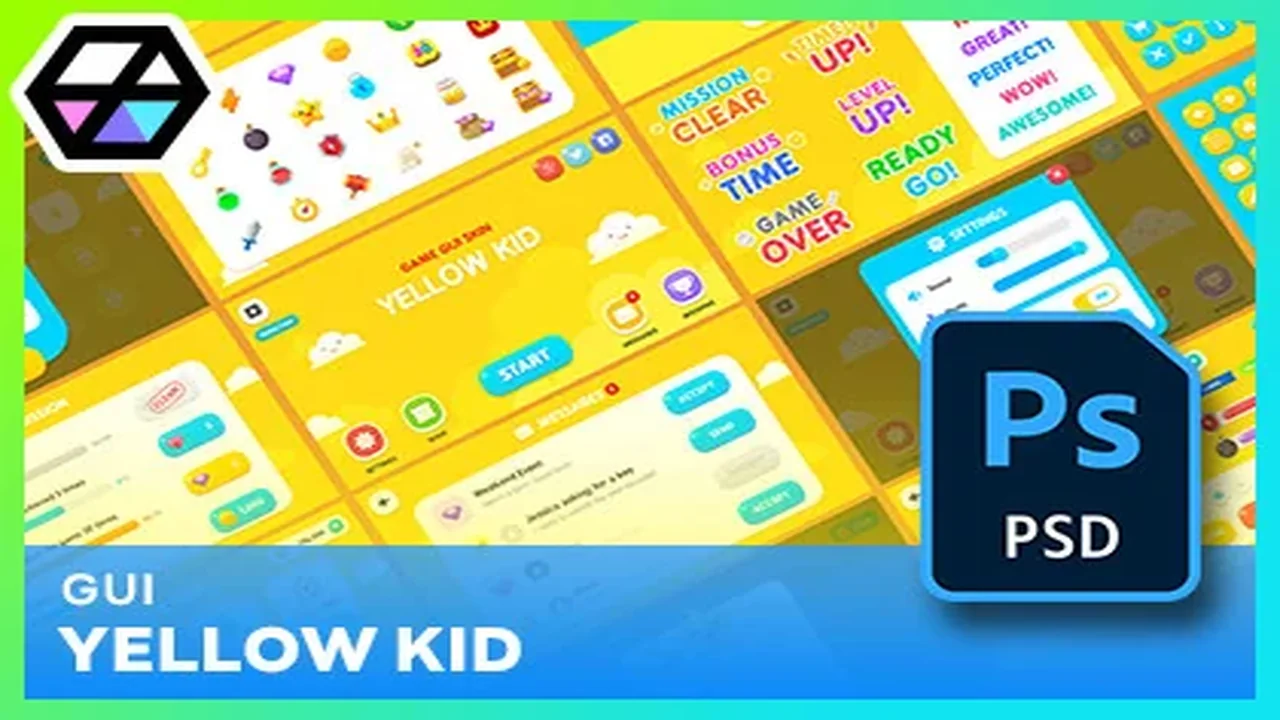
Enhance your game's visual interface with the GUI - Yellow Kid asset. This package offers high-resolution graphics, editable vector layers, and over 98 prefabs for a streamlined workflow.
GUI - Yellow Kid provides developers with a comprehensive set of visual tools for creating modern game interfaces. Specifically, the asset features 1920x1080 resolution graphics that ensure a crisp appearance on high-definition displays. The developer has included PNG files for every element within the package to facilitate easy integration. Furthermore, the inclusion of a GUI skin and layout demo scene allows for immediate visualization of the assets in a project environment.
The core of this package consists of over 400 individual PNG sources. These elements cover a wide range of UI needs, from basic buttons to complex frames. Moreover, the collection includes 72 button icons available in four distinct colors: Blue, Gray, Red, and Yellow. This color variety allows for clear visual hierarchy and state changes within a game's user interface. In addition, 72 pictogram icons are provided in multiple sizes, including 64x64, 128x128, 256x256, and 512x512 pixels.
Editable Source Files and Customization
Flexibility is a key benefit of the GUI - Yellow Kid asset. Specifically, the package contains 23 PSD editable vector layers. Consequently, creators can modify the shapes, colors, and scales of the UI components to fit their specific project requirements. Additionally, a pictogram icons AI file is included for those who prefer working with vector-based software. These source files empower developers to maintain visual consistency while tailoring the assets to their unique artistic vision.
Beyond static images, the asset is highly organized for Unity users. There are more than 98 prefabs included in the package. These prefabs are categorized into several essential UI groups:
Interactive Buttons
UI Frames and Borders
Functional Popups
Adjustable Sliders
Miscellaneous UI Elements
Technical Specifications and Compatibility
GUI - Yellow Kid is designed to work seamlessly with Unity 2021.3.30 and later versions. Regarding rendering, the package is compatible with the Built-in, HDRP, and URP pipelines. This broad compatibility ensures that the assets can be used across various project types and technical setups. However, it is important to note that coding and animation are not included in this specific package.
The developer has recently updated the asset to improve the user experience. For instance, the original PDF user guide has been replaced with an integrated web page guide. This update provides easier access to font information and licensing details. Furthermore, common GUI scripts have been integrated into the demo scenes to improve functionality. Therefore, developers can quickly understand how to implement the GUI - Yellow Kid components in their own scenes.
Best Fit
Ultimately, the GUI - Yellow Kid asset serves as a robust foundation for any game's user interface. By combining high-resolution PNGs with editable PSD source files, it offers both convenience and deep customization. Whether you are building a simple prototype or a polished final product, these assets provide the professional quality required for modern game development. Consequently, this package remains a versatile choice for creators looking to elevate their UI design.
 GUI
GUI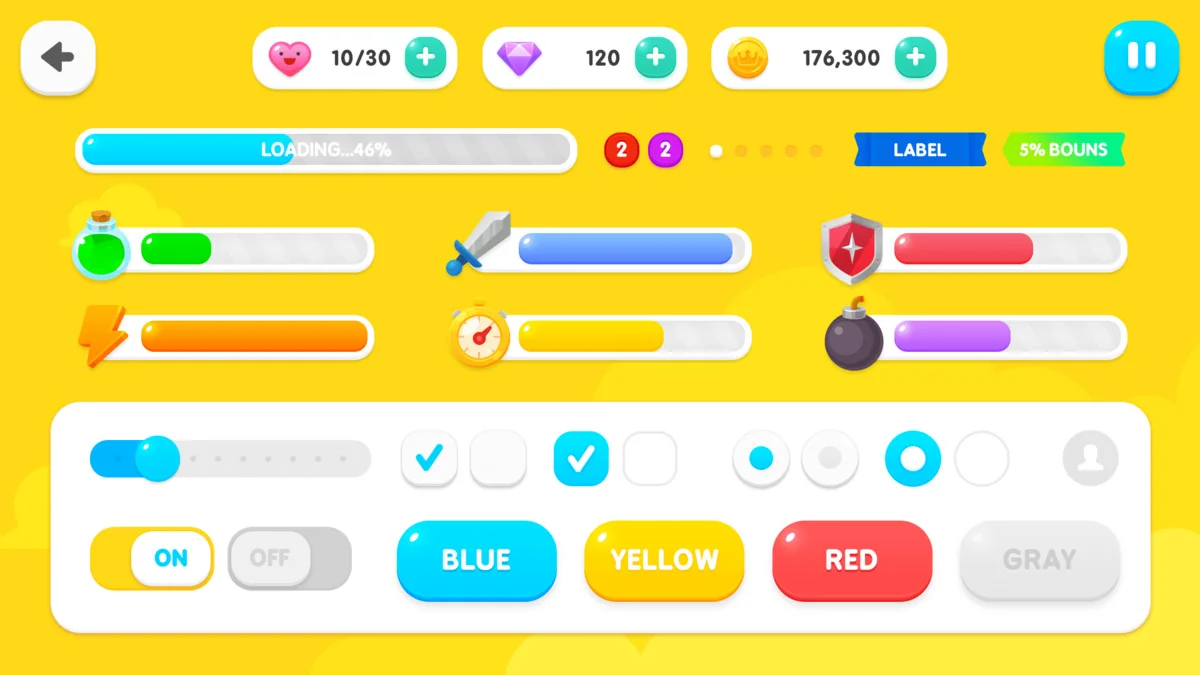
 GUI
GUI GUI
GUI GUI
GUI