"6ac84fdb0bd06614"{"id":"18449","slug":"eyes-animator","title":"Eyes Animator","category":"Animations","engine":"Original Unity version: 2019.4.40","assetVersion":"Original Unity version: 2019.4.40","engineVersion":"Asset Version:2.0.3","tag":"Animations","accent":"cyan","visual":"animation","summary":"Enhance your character's realism with Eyes Animator, a procedural tool for Unity that automates eye movement and blinking for any creature type using intuitive settings.","platform":"Unity","publishedAt":"2026-03-16T16:07:49.000Z","updatedAt":"2026-04-19T15:43:06.000Z","sourceNotes":[],"fileContents":[],"compatibility":["Unity","Original Unity version: 2019.4.40","Asset Version: 2.0.3"],"featuredImage":{"alt":"Eyes Animator","src":"https://3dcghub.com/wp-content/uploads/2026/03/75b154f6a410_284a061e-81ab-4de0-aacd-a1fd209a4f06_1280x720_stretch.webp"},"hasDownloadLink":true,"downloads":1,"terms":[{"taxonomy":"category","slug":"animations-3d-unity-2","name":"Animations"},{"taxonomy":"post_tag","slug":"animation","name":"Animation"},{"taxonomy":"post_tag","slug":"characters","name":"Characters"},{"taxonomy":"post_tag","slug":"environment","name":"Environment"},{"taxonomy":"post_tag","slug":"materials","name":"Materials"},{"taxonomy":"post_tag","slug":"tools","name":"Tools"},{"taxonomy":"post_tag","slug":"unity","name":"Unity"}],"galleryImages":[{"src":"https://3dcghub.com/wp-content/uploads/2026/03/7ee1e724fda5_c53a9fd5-46fd-4c8c-83ae-ed2ad6e7449b_scaled.webp","alt":"Eyes Animator"},{"src":"https://3dcghub.com/wp-content/uploads/2026/03/d2704f4d528f_0c24b7a2-c411-43fd-9104-7c96c1725204_scaled.webp","alt":"Eyes Animator"}],"accessPanel":{"kind":"resource","title":"Access this resource","eyebrow":"Free Download","message":"Log in or create a free account to start your download.","fileName":"Eyes Animator v2.0.3.7z","safetyNote":"All resources are 100% manually reviewed to eliminate all risks.","actionLabel":"Download Free","resourceType":"Resource archive"},"contentHtml":"\u003ch2\u003eDynamic Eye Animation for Realistic Characters\u003c/h2\u003e\n\u003cp\u003eEyes Animator is a specialized Unity component designed to bring life to character eye movements through procedural animation. This tool allows eye spheres to behave realistically or with a cartoon-like flair, depending on your project needs. Whether you are working on a human, a cyclops, or a spider, the component handles any number of eyes with ease. Small details like eye movement often make a significant difference in the perceived quality of a project.\u003c/p\u003e\n\n\u003cp\u003eThe animation generated by Eyes Animator is entirely procedural and constantly random. Consequently, there are no repetitions in the movement, as it relies on the rotation of game objects. Users only need eye sphere models or eye bones within their 3D models to begin. Furthermore, the package includes individual toggles, which enable independent movement for each eye. This feature is particularly useful when designing unique animations for monsters or creatures.\u003c/p\u003e\n\n\u003ch2\u003eFlexible Rendering and Animation Support\u003c/h2\u003e\n\u003cp\u003eThe tool supports multiple animation methods, including object-rotation-based and blendshapes-based look animations. Because it is not shader-related, it works across all Scriptable Render Pipelines (SRP). This includes Built-in, LWRP, URP, HDRP, and even Custom Render Pipelines. Developers simply need to convert the provided demo materials for specific examples.\u003c/p\u003e\n\n\u003ch3\u003eKey Features of Eyes Animator\u003c/h3\u003e\n\u003cul\u003e\n \u003cli\u003eInteractive demo scenes and full source code with commentary.\u003c/li\u003e\n \u003cli\u003ePoint of interest lag simulation for added realism.\u003c/li\u003e\n \u003cli\u003eRandom movement presets ranging from calm to nervous or psychical cues.\u003c/li\u003e\n \u003cli\u003eEyelid blinking support using rotation, scale, or blendshapes.\u003c/li\u003e\n \u003cli\u003eSeamless cooperation with Look Animator.\u003c/li\u003e\n \u003cli\u003eDistance optimization options for better performance.\u003c/li\u003e\n\u003c/ul\u003e\n\n\u003ch2\u003eStreamlined Workflow and Customization\u003c/h2\u003e\n\u003cp\u003eSetting up the component is fast thanks to a custom inspector. Additionally, users can easily change target objects for the eyes to follow. The inspector also provides visualizations for setting clamp ranges. Therefore, developers can blend eye animations and effects precisely using simple sliders. The developer has also included a method to trigger blinking via code for more control.\u003c/p\u003e\n\n\u003cp\u003eThe clearest takeaway is that Eyes Animator provides a robust solution for developers looking to add depth to their characters. By automating complex eye behaviors, it saves time while enhancing visual fidelity. It remains a versatile choice for any Unity project requiring expressive and dynamic character eyes.\u003c/p\u003e\n\n\u003ch2\u003eContinue Browsing Similar Packs\u003c/h2\u003e\n\u003cul\u003e\n\u003cli\u003e\u003ca href=\"https://3dcghub.com/dynamic-sword-animset/\" title=\"Dynamic Sword Animset\"\u003eDynamic Sword Animset\u003c/a\u003e\u003c/li\u003e\n\u003cli\u003e\u003ca href=\"https://3dcghub.com/car-interaction-animaions/\" title=\"Car Interaction Animaions\"\u003eCar Interaction Animaions\u003c/a\u003e\u003c/li\u003e\n\u003cli\u003e\u003ca href=\"https://3dcghub.com/anime-dance-challenge-ver2/\" title=\"Anime Dance Challenge [ver2]\"\u003eAnime Dance Challenge [ver2]\u003c/a\u003e\u003c/li\u003e\n\u003cli\u003e\u003ca href=\"https://3dcghub.com/aa_audience_cheer/\" title=\"AA_Audience_Cheer\"\u003eAA_Audience_Cheer\u003c/a\u003e\u003c/li\u003e\n\u003cli\u003e\u003ca href=\"https://3dcghub.com/aa-use-phone-animations-package/\" title=\"AA Use Phone Animations Package\"\u003eAA Use Phone Animations Package\u003c/a\u003e\u003c/li\u003e\n\u003c/ul\u003e","contentTextLength":2689,"navigation":{"current":2794,"total":3181,"previous":{"id":"18462","slug":"fps-animation-pro","title":"FPS Animation Pro","category":"Animations","platform":"Unity","updatedAt":"2026-04-19T15:43:06.000Z"},"next":{"id":"18444","slug":"dynamic-sword-animset","title":"Dynamic Sword Animset","category":"Animations","platform":"Unity","updatedAt":"2026-04-19T15:43:06.000Z"}},"relatedResources":[{"id":"22475","slug":"mesh-animator-animate-massive-crowds","title":"Mesh Animator - Animate massive crowds","category":"Animation","engine":"Original Unity version: 2019.4.13","assetVersion":"Original Unity version: 2019.4.13","engineVersion":"Asset Version:2.0.32","tag":"Animation","accent":"cyan","visual":"animation","summary":"Mesh Animator provides a streamlined workflow for converting animated characters and vegetation into high-performance instances, supporting thousands of entities with minimal CPU overhead.","platform":"Unity","publishedAt":"2026-04-06T12:57:24.000Z","updatedAt":"2026-04-19T15:37:16.000Z","sourceNotes":[],"fileContents":[],"compatibility":["Unity","Original Unity version: 2019.4.13","Asset Version: 2.0.32"],"featuredImage":{"alt":"Mesh Animator - Animate massive crowds","src":"https://3dcghub.com/wp-content/uploads/2026/04/9d8c280f23ef_c0e7588b-f809-483a-b164-c3c8993cdba6_1280x720_stretch.webp"},"hasDownloadLink":true,"downloads":1},{"id":"22528","slug":"spinal-animator","title":"Spinal Animator","category":"Animation","engine":"Original Unity version: 2019.4.40","assetVersion":"Original Unity version: 2019.4.40","engineVersion":"Asset Version:2.0.2","tag":"Animation","accent":"cyan","visual":"animation","summary":"Spinal Animator offers a procedural solution for animating creature and animal spine chains in Unity. It automates bone rotation based on movement and terrain slopes while blending with existing keyframed animations.","platform":"Unity","publishedAt":"2026-04-06T13:07:09.000Z","updatedAt":"2026-04-19T15:37:14.000Z","sourceNotes":[],"fileContents":[],"compatibility":["Unity","Original Unity version: 2019.4.40","Asset Version: 2.0.2"],"featuredImage":{"alt":"Spinal Animator","src":"https://3dcghub.com/wp-content/uploads/2026/04/966ae660af8d_71b2db82-143b-4035-a5bc-6bbe6176361a_1280x720_stretch.webp"},"hasDownloadLink":true,"downloads":0},{"id":"18395","slug":"2-handed-warrior-mecanim-animation-pack","title":"2-Handed Warrior Mecanim Animation Pack","category":"Animations","engine":"Original Unity version: 2022.3.61","assetVersion":"Original Unity version: 2022.3.61","engineVersion":"Asset Version:2.0.1","tag":"Animations","accent":"cyan","visual":"animation","summary":"The 2-Handed Warrior Mecanim Animation Pack is a professional collection of 41 combat animations. It features a robust character controller and physics support for seamless RPG integration.","platform":"Unity","publishedAt":"2026-03-16T15:55:38.000Z","updatedAt":"2026-04-19T15:43:07.000Z","sourceNotes":[],"fileContents":[],"compatibility":["Unity","Original Unity version: 2022.3.61","Asset Version: 2.0.1"],"featuredImage":{"alt":"2-Handed Warrior Mecanim Animation Pack","src":"https://3dcghub.com/wp-content/uploads/2026/03/f5ff4ca371a4_bf86ac75-e055-4361-8637-aaa0f3dd8f09_1280x720_stretch.webp"},"hasDownloadLink":true,"downloads":0}]}
Animations
Eyes Animator
Enhance your character's realism with Eyes Animator, a procedural tool for Unity that automates eye movement and blinking for any creature type using intuitive settings.
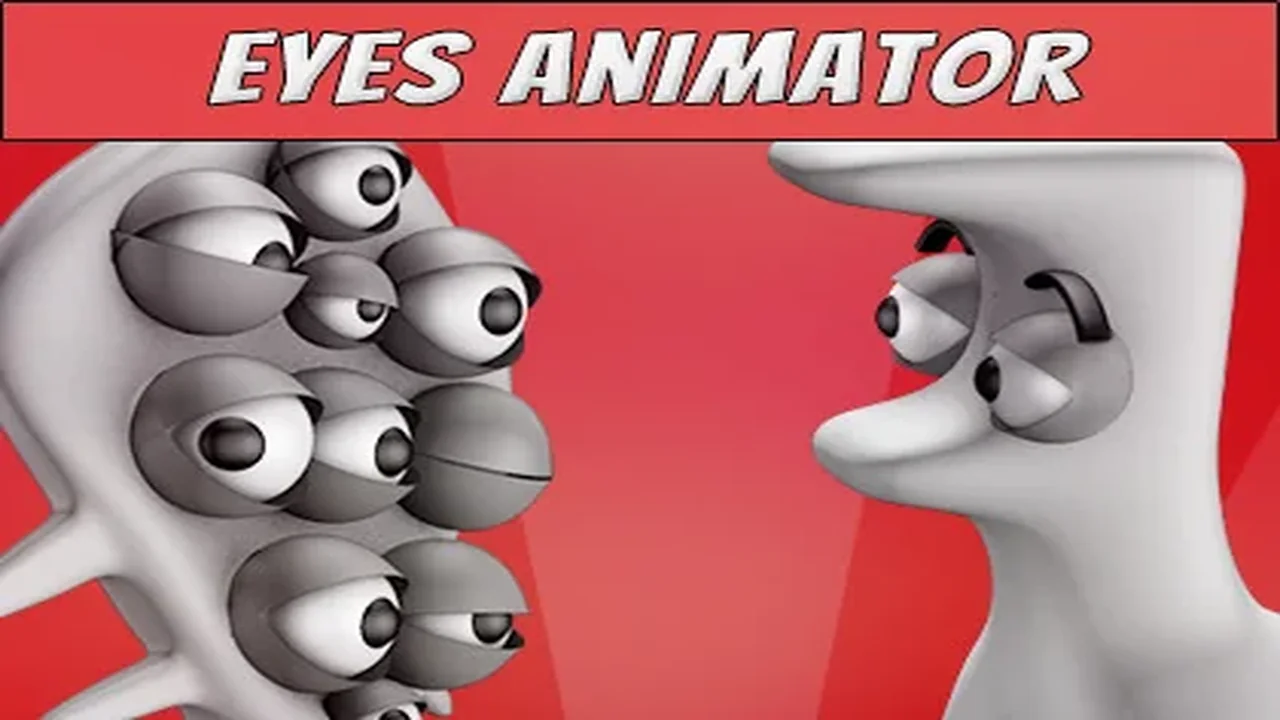
Eyes Animator is a specialized Unity component designed to bring life to character eye movements through procedural animation. This tool allows eye spheres to behave realistically or with a cartoon-like flair, depending on your project needs. Whether you are working on a human, a cyclops, or a spider, the component handles any number of eyes with ease. Small details like eye movement often make a significant difference in the perceived quality of a project.
The animation generated by Eyes Animator is entirely procedural and constantly random. Consequently, there are no repetitions in the movement, as it relies on the rotation of game objects. Users only need eye sphere models or eye bones within their 3D models to begin. Furthermore, the package includes individual toggles, which enable independent movement for each eye. This feature is particularly useful when designing unique animations for monsters or creatures.
Flexible Rendering and Animation Support
The tool supports multiple animation methods, including object-rotation-based and blendshapes-based look animations. Because it is not shader-related, it works across all Scriptable Render Pipelines (SRP). This includes Built-in, LWRP, URP, HDRP, and even Custom Render Pipelines. Developers simply need to convert the provided demo materials for specific examples.
Key Features of Eyes Animator
Interactive demo scenes and full source code with commentary.
Point of interest lag simulation for added realism.
Random movement presets ranging from calm to nervous or psychical cues.
Eyelid blinking support using rotation, scale, or blendshapes.
Seamless cooperation with Look Animator.
Distance optimization options for better performance.
Streamlined Workflow and Customization
Setting up the component is fast thanks to a custom inspector. Additionally, users can easily change target objects for the eyes to follow. The inspector also provides visualizations for setting clamp ranges. Therefore, developers can blend eye animations and effects precisely using simple sliders. The developer has also included a method to trigger blinking via code for more control.
The clearest takeaway is that Eyes Animator provides a robust solution for developers looking to add depth to their characters. By automating complex eye behaviors, it saves time while enhancing visual fidelity. It remains a versatile choice for any Unity project requiring expressive and dynamic character eyes.
 Animations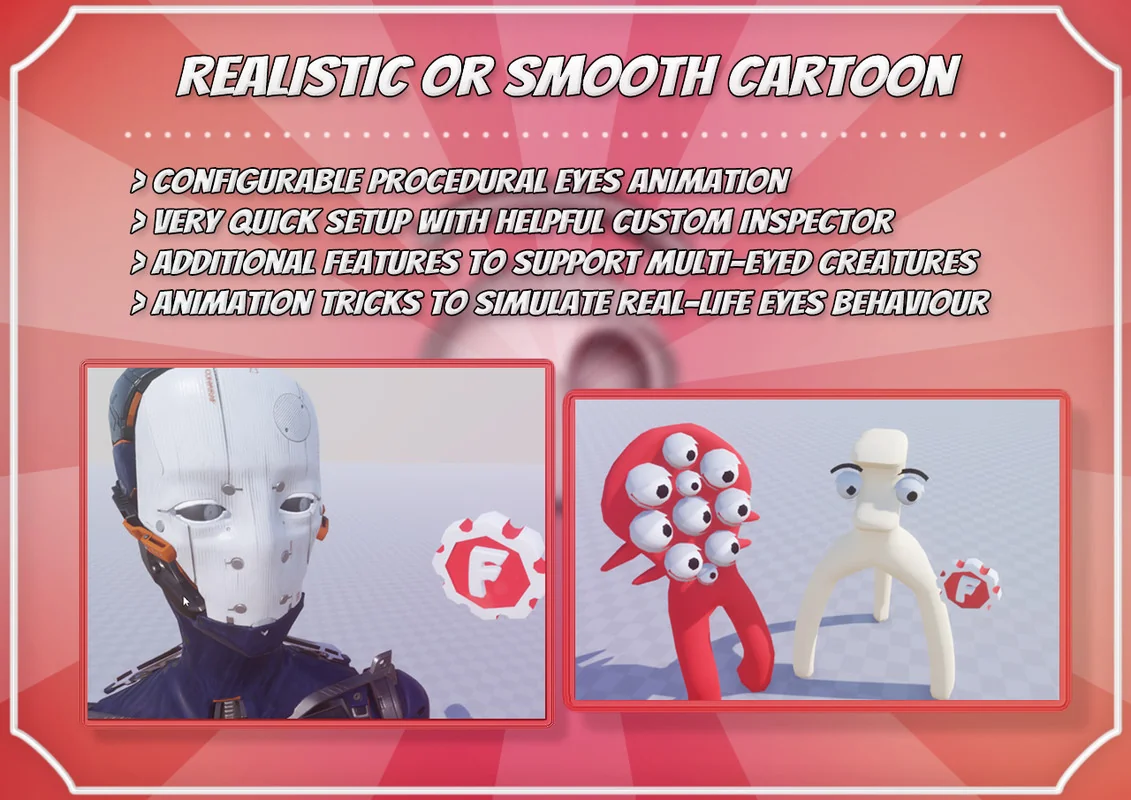
 Animation
 Animation
 Animations