"7066dd76da796369"{"id":"13749","slug":"blueprint-assist","title":"Blueprint Assist","category":"Engine Tools","engine":"4.27,5.0 - 5.8","assetVersion":"Asset Version: 4.1.1 - 4.9.1","engineVersion":"Engine version: 4.27,5.0 - 5.8","tag":"Engine Tools","accent":"blue","visual":"audio","summary":"Blueprint Assist is an essential tool for developers looking to automate graph organization. It features intelligent node formatting and extensive keyboard shortcuts to speed up the development process.","platform":"Unreal Engine","publishedAt":"2026-03-11T09:54:18.000Z","updatedAt":"2026-08-07T05:30:40.385Z","sourceNotes":[],"fileContents":[],"compatibility":["Unreal Engine","Asset Version: 4.1.1 - 4.9.1","Engine version: 4.27,5.0 - 5.8"],"featuredImage":{"alt":"Blueprint Assist","src":"https://3dcghub.com/wp-content/uploads/2026/03/4593d1db-d94e-4828-8f72-f7b9be85ae8c.webp"},"hasDownloadLink":true,"downloads":5,"terms":[{"taxonomy":"category","slug":"engine-tools-tools-and-plugins","name":"Engine Tools"},{"taxonomy":"post_tag","slug":"blueprint","name":"Blueprint"},{"taxonomy":"post_tag","slug":"blueprint-assist","name":"Blueprint Assist"},{"taxonomy":"post_tag","slug":"blueprint-shortcuts","name":"Blueprint Shortcuts"},{"taxonomy":"post_tag","slug":"plugins","name":"Plugins"},{"taxonomy":"post_tag","slug":"tools","name":"Tools"},{"taxonomy":"post_tag","slug":"unreal-engine-5","name":"Unreal Engine 5"}],"galleryImages":[{"src":"https://3dcghub.com/wp-content/uploads/2026/03/40814cdcc59d_f99beb73-5af2-41e5-b5d1-bbdc5e492c25.webp","alt":"Blueprint Assist"},{"src":"https://3dcghub.com/wp-content/uploads/2026/03/7fa843c6184e_3801c10c-db86-4a49-b00a-b367eb7caa42.webp","alt":"Blueprint Assist"},{"src":"https://3dcghub.com/wp-content/uploads/2026/03/e625e22d431c_3f8a1d7a-4a24-4be1-bfe7-774cfb6ec91a.webp","alt":"Blueprint Assist"},{"src":"https://3dcghub.com/wp-content/uploads/2026/03/64968a554ce3_f6355f88-1ee9-4136-9c96-e7989bf1dc6d.webp","alt":"Blueprint Assist"}],"accessPanel":{"kind":"resource","title":"Download this resource","eyebrow":"Free Download","message":"Log in or create a free account to start your download.","fileName":"Blueprint Assist.7z","safetyNote":"Resources are manually reviewed before listing to improve quality and reduce obvious risks.","actionLabel":"Download Free","resourceType":"Resource archive"},"contentHtml":"\u003cp\u003e\u003ccode\u003eBlueprints\u003c/code\u003e are powerful, but building them by dragging and right-clicking through menus breaks momentum. Graph readability suffers the moment Nodes stack up and wires cross. \u003cem\u003eBlueprint Assist\u003c/em\u003e is an Unreal Engine Editor Plugin that directly targets both 2 problems: it auto-formats Nodes as you work and brings a wide range of keyboard shortcuts to \u003ccode\u003eBlueprint\u003c/code\u003e editing.\u003c/p\u003e\n\n\u003ch2\u003eNode Formatting That Runs on Placement\u003c/h2\u003e\n\n\u003cp\u003eWhen a user places a Node on the graph, the Node formatting algorithm is run. That is not an optional tidy-up command. It happens automatically during the act of coding, so positions are adjusted immediately. That leaves a readable arrangement without requiring manual alignment or spacing after the fact.\u003c/p\u003e\n\n\u003cp\u003eThe developer points to a \u003ccode\u003eWiki\u003c/code\u003e page that contains animated GIFs for each feature of the plugin. Those examples show exactly how the formatting behaves in practice. Instead of theorizing about what the algorithm does, you can watch Nodes shift into organized positions as new connections are made. For anyone who has spent minutes straightening out a corrupted layout, the convenience is immediate.\u003c/p\u003e\n\n\u003cp\u003eThis formatting step runs per Node, which means the graph stays clean even during rapid iteration. The algorithm effectively acts as a background layout assistant, keeping spatial relationships legible as the structure grows. That addresses a pain point every \u003ccode\u003eBlueprint\u003c/code\u003e user eventually hits, because even a well-planned graph degrades without constant manual upkeep.\u003c/p\u003e\n\n\u003ch2\u003eKeyboard Shortcuts for Creation and Modification\u003c/h2\u003e\n\n\u003cp\u003eThe plugin adds shortcuts for all Node creation and modification functionality that previously required a mouse. The source description says it plainly: no more right-clicking every time you want to create a Node. This moves the core editing loop from context menus to the keyboard.\u003c/p\u003e\n\n\u003cp\u003eIt is not just about creating fresh Nodes. Shortcuts also cover modification actions that were traditionally pointer-driven. Rerouting wires, changing Pin connections, and other structural edits can all be performed without reaching for the mouse. For \u003ccode\u003eBlueprint\u003c/code\u003e developers who already use hotkeys for common commands, this expands that workflow to the entire graph editing surface.\u003c/p\u003e\n\n\u003cp\u003eBecause the shortcut set covers \"all Node creation and modification functionality,\" it is designed to be comprehensive rather than a handful of convenience bindings. Users who prefer a keyboard-centric approach can build entire Node networks without constantly switching between input methods. That speeds up iteration and keeps focus on the logic being assembled.\u003c/p\u003e\n\n\u003ch2\u003eQuality-of-Life Additions and the \u003cem\u003eAutoSizeComments\u003c/em\u003e Pairing\u003c/h2\u003e\n\n\u003cp\u003eBeyond formatting and shortcuts, \u003cem\u003eBlueprint Assist\u003c/em\u003e includes \"additional quality of life features and improvements\" that ship with the plugin. The exact list is not itemized in the overview, but the intent is clear: these smaller touches smooth out repeated interactions that normally slow \u003ccode\u003eBlueprint\u003c/code\u003e work. They complement the headline formatting and shortcut features.\u003c/p\u003e\n\n\u003cp\u003eThere is a notable gap some users might stumble into: \u003cem\u003eBlueprint Assist\u003c/em\u003e does not handle \u003ccode\u003eComment Nodes\u003c/code\u003e. In a heavily commented \u003ccode\u003eBlueprint\u003c/code\u003e graph, that can be a reason to look for a companion tool. The developer also suggests downloading the free \u003cem\u003eAutoSizeComments\u003c/em\u003e plugin to fix this issue. \u003cem\u003eAutoSizeComments\u003c/em\u003e handles \u003ccode\u003eComment Nodes\u003c/code\u003e and comes with other useful functionality, according to the description.\u003c/p\u003e\n\n\u003cp\u003eThis pairing is worth planning from the start. When installing \u003cem\u003eBlueprint Assist\u003c/em\u003e, the developer specifically recommends \u003cem\u003eAutoSizeComments\u003c/em\u003e as a free companion. That is a rare form of transparency, acknowledging the plugin's own limitation and pointing to a solution rather than ignoring the problem.\u003c/p\u003e\n\n\u003ch2\u003eWhere to Report Issues, Ask Questions, and Track Changes\u003c/h2\u003e\n\n\u003cp\u003eSupport for \u003cem\u003eBlueprint Assist\u003c/em\u003e is structured around public channels. If you encounter issues, bugs, or have feature requests, you can create a new issue on the plugin's \u003ccode\u003eGitHub\u003c/code\u003e repository. For formatting issues specifically, the developer asks for replication steps, screenshots, and \u003ccode\u003eblueprintUE\u003c/code\u003e files to make debugging easier. These details help narrow down why a particular graph layout behaves unexpectedly.\u003c/p\u003e\n\n\u003cp\u003eGeneral questions about the plugin can be posted on its page or on the forum. The developer also provides an email address for private questions. That channel is useful when you do not want to expose a project or graph in public. Between the \u003ccode\u003eWiki\u003c/code\u003e, documentation, forum page, and Changelogs, there is a lot of reference material to consult before digging into support.\u003c/p\u003e\n\n\u003cp\u003eThe Changelog also gives a way to follow the plugin's evolution. Because the developer actively references an internal \u003ccode\u003eWiki\u003c/code\u003e, documentation, and forum, \u003cem\u003eBlueprint Assist\u003c/em\u003e is not a static tool. It benefits from a public development loop where user feedback can directly shape future releases.\u003c/p\u003e\n\n\u003cp\u003e\u003cem\u003eBlueprint Assist\u003c/em\u003e fits into a production environment at the point where \u003ccode\u003eBlueprint\u003c/code\u003e graphs start getting dense. Automatic Node formatting removes the friction of manual layout, and the keyboard shortcuts eliminate repetitive right-clicking. For anyone who wants to pair it with comment support, \u003cem\u003eAutoSizeComments\u003c/em\u003e is a free companion that fills the gap the developer chose not to handle. That leaves a more fluid \u003ccode\u003eBlueprint\u003c/code\u003e editing experience, with fewer interruptions and a graph that stays readable while you work.\u003c/p\u003e","contentTextLength":5311,"navigation":{"current":1244,"total":4016,"previous":{"id":"1000912","slug":"animalia-raccoon","title":"Animalia - Raccoon","category":"Characters \u0026 Creatures","platform":"Unreal Engine","updatedAt":"2026-08-07T17:04:40.260Z"},"next":{"id":"1000911","slug":"unreal-engine-5-for-beginners-learn-the-basics-of-virtual-production","title":"Unreal Engine 5 For Beginners: Learn The Basics Of Virtual Production","category":"Unreal Engine","platform":"Unreal Engine","updatedAt":"2026-08-06T13:46:18.693Z"}},"relatedResources":[{"id":"14510","slug":"runtime-files-downloader","title":"Runtime Files Downloader","category":"Engine Tools","engine":"4.26 - 4.27,5.0 - 5.7","assetVersion":"Engine version: 4.26 - 4.27,5.0 - 5.7","engineVersion":"Asset Version:1.0","tag":"Engine Tools","accent":"blue","visual":"character","summary":"The Runtime Files Downloader enables fast and reliable HTTP/HTTPS file downloads directly in your game. It supports files larger than 2GB and offers flexible storage or memory-based loading options.","platform":"Unreal Engine","publishedAt":"2026-03-11T18:18:40.000Z","updatedAt":"2026-09-30T02:39:01.992Z","sourceNotes":[],"fileContents":[],"compatibility":["Unreal Engine","Engine version: 4.26 - 4.27,5.0 - 5.7","Asset Version: 1.0"],"featuredImage":{"alt":"Runtime Files Downloader","src":"https://3dcghub.com/wp-content/uploads/2026/03/963fe789-cb5a-46bf-be0d-8da8e6b16591.webp"},"hasDownloadLink":true,"downloads":0},{"id":"14499","slug":"roadmap-navigation","title":"Roadmap Navigation","category":"Engine Tools","engine":"4.26 - 5.8","assetVersion":"Version:1.1.1 - 1.1.5","engineVersion":"Engine version: 4.26 - 5.8","tag":"Engine Tools","accent":"blue","visual":"mech","summary":"Roadmap Navigation is a specialized multi-threaded tool built for pathfinding in expansive environments. It operates on a custom grid system independent of standard engine navigation.","platform":"Unreal Engine","publishedAt":"2026-03-11T18:15:43.000Z","updatedAt":"2026-09-30T02:26:26.897Z","sourceNotes":[],"fileContents":[],"compatibility":["Unreal Engine","Version:1.1.1 - 1.1.5","Engine version: 4.26 - 5.8"],"featuredImage":{"alt":"Roadmap Navigation","src":"https://3dcghub.com/wp-content/uploads/2026/03/51fb9767-8e64-4a39-8425-f983478affcb.webp"},"hasDownloadLink":true,"downloads":0},{"id":"14100","slug":"le-http-request","title":"LE Http Request","category":"Engine Tools","engine":"4.9 - 5.8","assetVersion":"Asset Version: 1.0 - 5.8.0 r0","engineVersion":"Engine version: 4.9 - 5.8","tag":"Engine Tools","accent":"blue","visual":"animation","summary":"LE Http Request offers a dedicated solution for developers looking to handle web communication through Blueprints. This tool simplifies the process of making HTTP requests and managing data conversion.","platform":"Unreal Engine","publishedAt":"2026-03-11T15:48:06.000Z","updatedAt":"2026-09-29T09:21:47.996Z","sourceNotes":[],"fileContents":[],"compatibility":["Unreal Engine","Asset Version: 1.0 - 5.8.0 r0","Engine version: 4.9 - 5.8"],"featuredImage":{"alt":"LE Http Request","src":"https://3dcghub.com/wp-content/uploads/2026/03/a6caa89e-79d6-45ee-ba89-12b99dac3021.webp"},"hasDownloadLink":true,"downloads":0}]}
Engine Tools
Blueprint Assist
Blueprint Assist is an essential tool for developers looking to automate graph organization. It features intelligent node formatting and extensive keyboard shortcuts to speed up the development process.
Category:Unreal Engine,Engine ToolsPlatform: Unreal EngineAsset Version: 4.1.1 - 4.9.1Engine version: 4.27,5.0 - 5.8Published: Mar 11, 2026Updated: Aug 7, 2026
Engine Tools
Resource overview
Blueprints are powerful, but building them by dragging and right-clicking through menus breaks momentum. Graph readability suffers the moment Nodes stack up and wires cross. Blueprint Assist is an Unreal Engine Editor Plugin that directly targets both 2 problems: it auto-formats Nodes as you work and brings a wide range of keyboard shortcuts to Blueprint editing.
Node Formatting That Runs on Placement
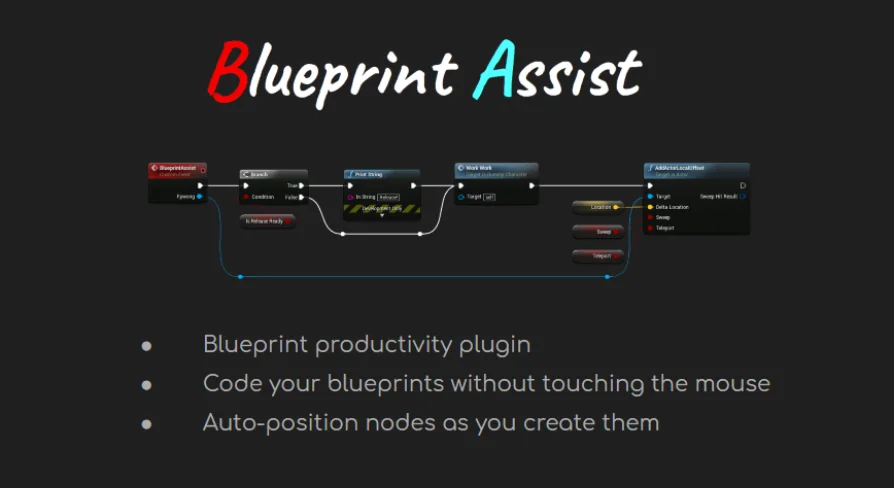
When a user places a Node on the graph, the Node formatting algorithm is run. That is not an optional tidy-up command. It happens automatically during the act of coding, so positions are adjusted immediately. That leaves a readable arrangement without requiring manual alignment or spacing after the fact.
The developer points to a Wiki page that contains animated GIFs for each feature of the plugin. Those examples show exactly how the formatting behaves in practice. Instead of theorizing about what the algorithm does, you can watch Nodes shift into organized positions as new connections are made. For anyone who has spent minutes straightening out a corrupted layout, the convenience is immediate.
This formatting step runs per Node, which means the graph stays clean even during rapid iteration. The algorithm effectively acts as a background layout assistant, keeping spatial relationships legible as the structure grows. That addresses a pain point every Blueprint user eventually hits, because even a well-planned graph degrades without constant manual upkeep.
Keyboard Shortcuts for Creation and Modification
The plugin adds shortcuts for all Node creation and modification functionality that previously required a mouse. The source description says it plainly: no more right-clicking every time you want to create a Node. This moves the core editing loop from context menus to the keyboard.
It is not just about creating fresh Nodes. Shortcuts also cover modification actions that were traditionally pointer-driven. Rerouting wires, changing Pin connections, and other structural edits can all be performed without reaching for the mouse. For Blueprint developers who already use hotkeys for common commands, this expands that workflow to the entire graph editing surface.
Because the shortcut set covers "all Node creation and modification functionality," it is designed to be comprehensive rather than a handful of convenience bindings. Users who prefer a keyboard-centric approach can build entire Node networks without constantly switching between input methods. That speeds up iteration and keeps focus on the logic being assembled.
Quality-of-Life Additions and the AutoSizeComments Pairing
Beyond formatting and shortcuts, Blueprint Assist includes "additional quality of life features and improvements" that ship with the plugin. The exact list is not itemized in the overview, but the intent is clear: these smaller touches smooth out repeated interactions that normally slow Blueprint work. They complement the headline formatting and shortcut features.
There is a notable gap some users might stumble into: Blueprint Assist does not handle Comment Nodes. In a heavily commented Blueprint graph, that can be a reason to look for a companion tool. The developer also suggests downloading the free AutoSizeComments plugin to fix this issue. AutoSizeComments handles Comment Nodes and comes with other useful functionality, according to the description.
This pairing is worth planning from the start. When installing Blueprint Assist, the developer specifically recommends AutoSizeComments as a free companion. That is a rare form of transparency, acknowledging the plugin's own limitation and pointing to a solution rather than ignoring the problem.
Where to Report Issues, Ask Questions, and Track Changes
Support for Blueprint Assist is structured around public channels. If you encounter issues, bugs, or have feature requests, you can create a new issue on the plugin's GitHub repository. For formatting issues specifically, the developer asks for replication steps, screenshots, and blueprintUE files to make debugging easier. These details help narrow down why a particular graph layout behaves unexpectedly.
General questions about the plugin can be posted on its page or on the forum. The developer also provides an email address for private questions. That channel is useful when you do not want to expose a project or graph in public. Between the Wiki, documentation, forum page, and Changelogs, there is a lot of reference material to consult before digging into support.
The Changelog also gives a way to follow the plugin's evolution. Because the developer actively references an internal Wiki, documentation, and forum, Blueprint Assist is not a static tool. It benefits from a public development loop where user feedback can directly shape future releases.
Blueprint Assist fits into a production environment at the point where Blueprint graphs start getting dense. Automatic Node formatting removes the friction of manual layout, and the keyboard shortcuts eliminate repetitive right-clicking. For anyone who wants to pair it with comment support, AutoSizeComments is a free companion that fills the gap the developer chose not to handle. That leaves a more fluid Blueprint editing experience, with fewer interruptions and a graph that stays readable while you work.
Preview Gallery
Resource screenshots
4 curated preview images
1 / 4
Free Download
Download this resource
Log in or create a free account to start your download.
Resources are manually reviewed before listing to improve quality and reduce obvious risks.
 Engine Tools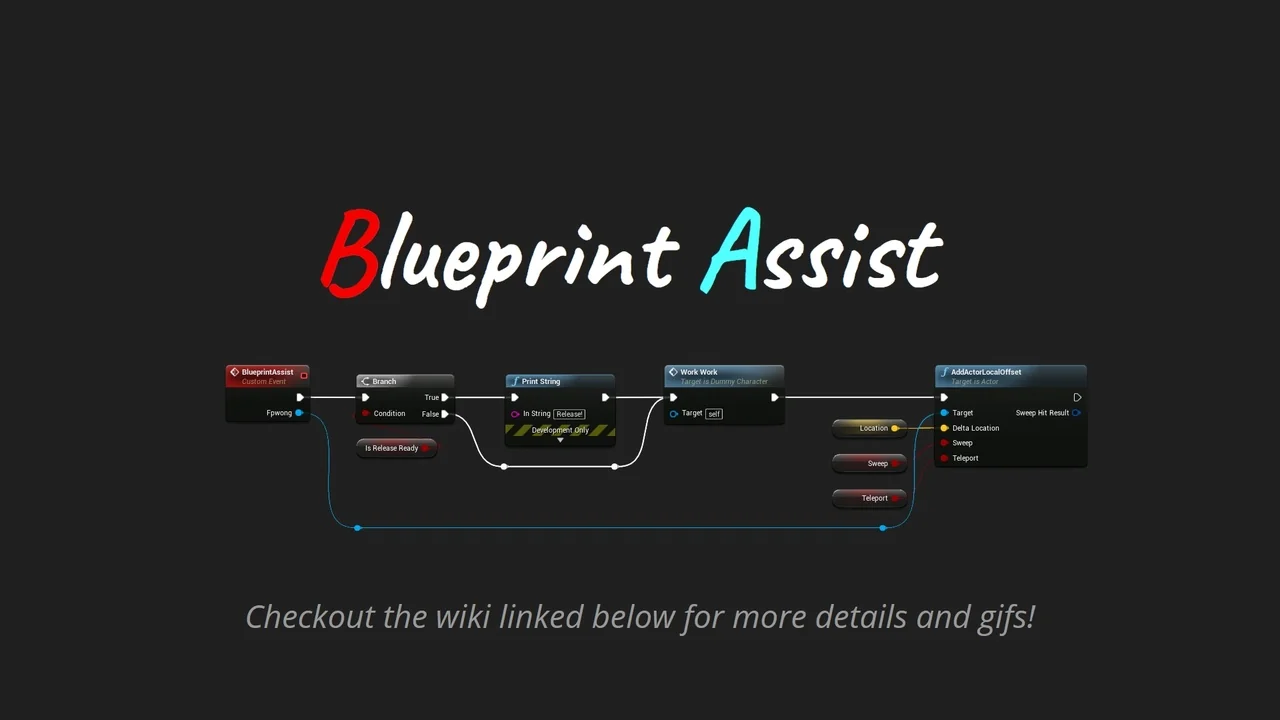
 Engine Tools
 Engine Tools
 Engine Tools