Visualizing Sound through the Audio Timeline
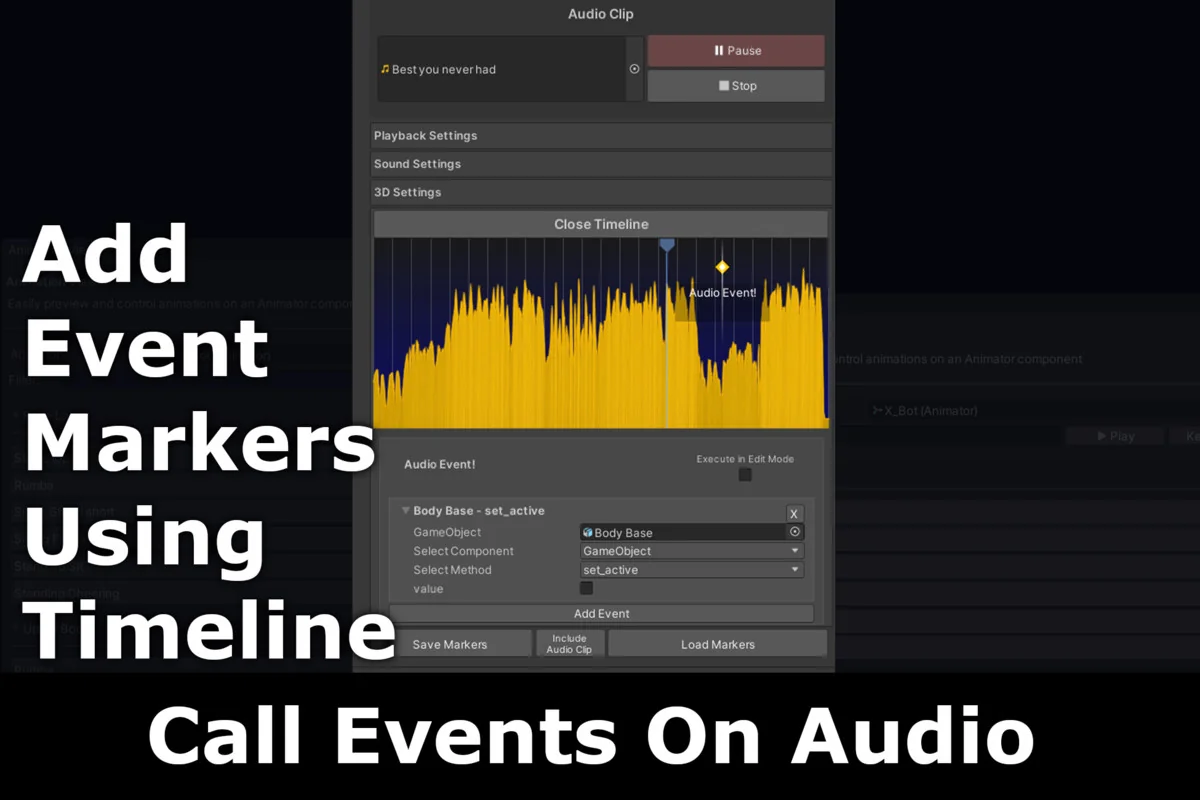
Audio Sync Pro centers its workflow on the Audio Timeline, a dedicated interface located directly within the Unity Inspector. This tool provides a visual representation of audio files, allowing developers to see the waveform and place event calls at exact timestamps. By moving away from manual timing or approximate code-based triggers, the timeline ensures that game events align perfectly with specific beats or sonic peaks. These events are not limited to simple triggers; they support multiple parameters, enabling the execution of complex behaviors such as shifting game states, swapping materials, or adjusting character variables at precise moments in a musical track or sound effect.
The integration of the timeline into the Inspector is designed to reduce the friction of the development cycle. Rather than jumping between different windows or external software, the creator can manage the relationship between sound and logic in one place. This architectural choice supports a more rhythmic approach to level design and cinematic sequencing, where the audio serves as the primary driver for the visual experience.
Dynamic Responses with Reactor Components
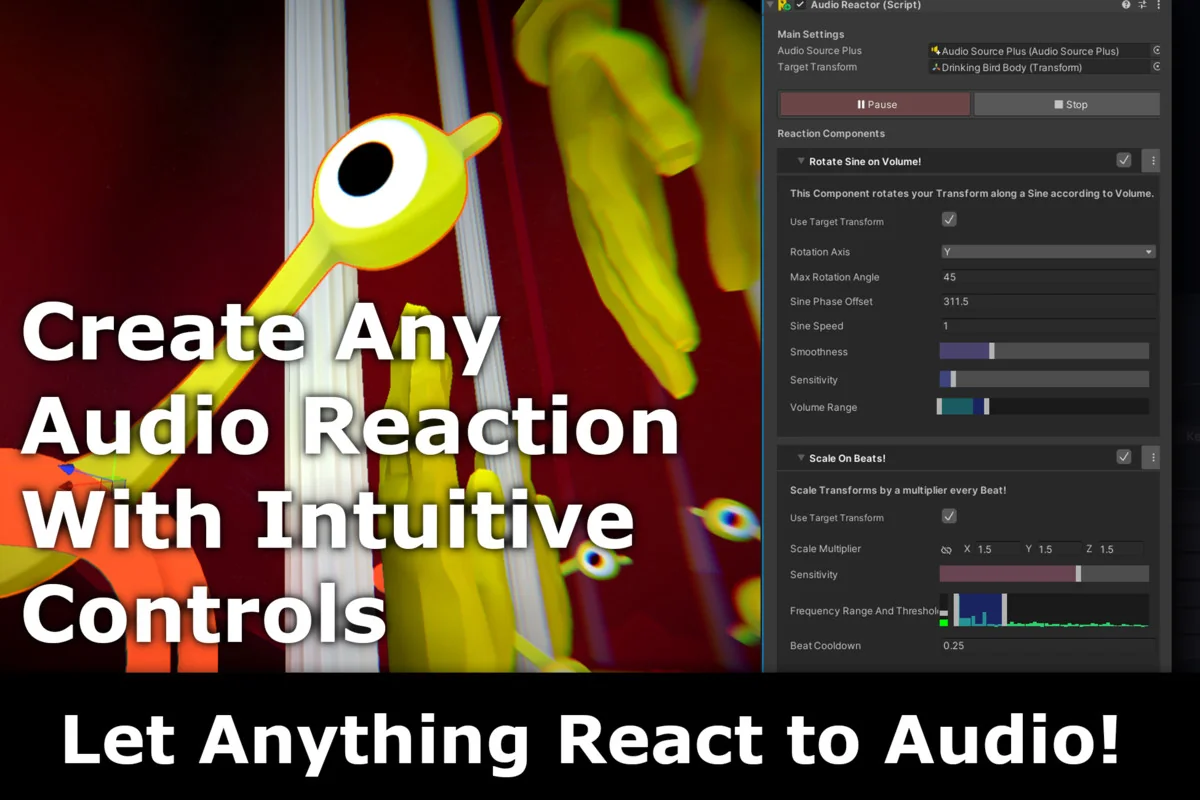
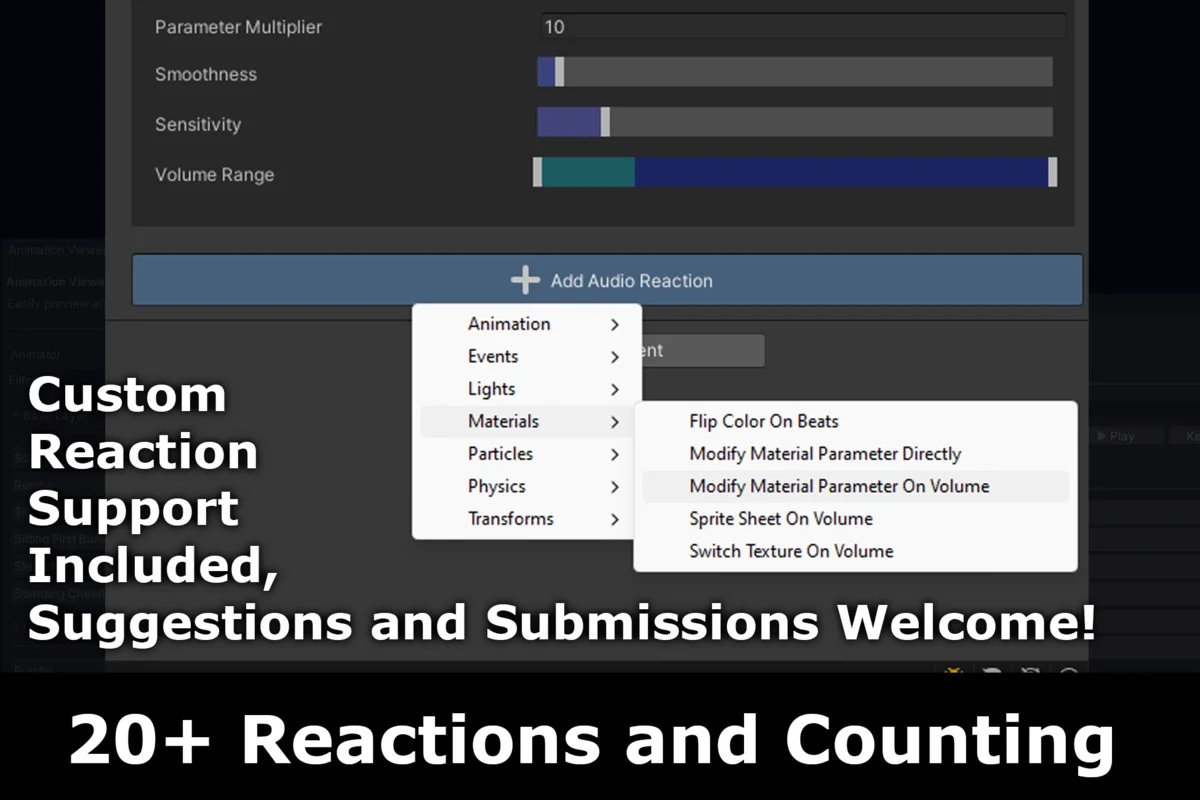
Beyond the manual placement of events, Audio Sync Pro includes a suite of over 20 Reactor components. These components are designed to automate the process of making game objects react to live audio data. The reactors can be applied to various elements within a scene, including lights, particle systems, and transforms. For instance, a transform reactor might scale an object in time with a bass drum, while a light reactor could pulse the intensity of a neon sign based on the frequency of a soundtrack.
This system is flexible enough to handle various creative needs, such as generating automatic 2D lip-sync for characters or creating intricate music visualizers. Because the reactors are component-based, they can be added to existing objects without requiring extensive custom scripting. This modularity allows for rapid prototyping of audio-driven environments where every light and movement feels intrinsically tied to the soundscape. The creator has indicated that the library of reactors is intended to grow, providing even more ways to map audio data to visual outputs as the tool evolves.
Workflow Efficiency and Inspector Previews
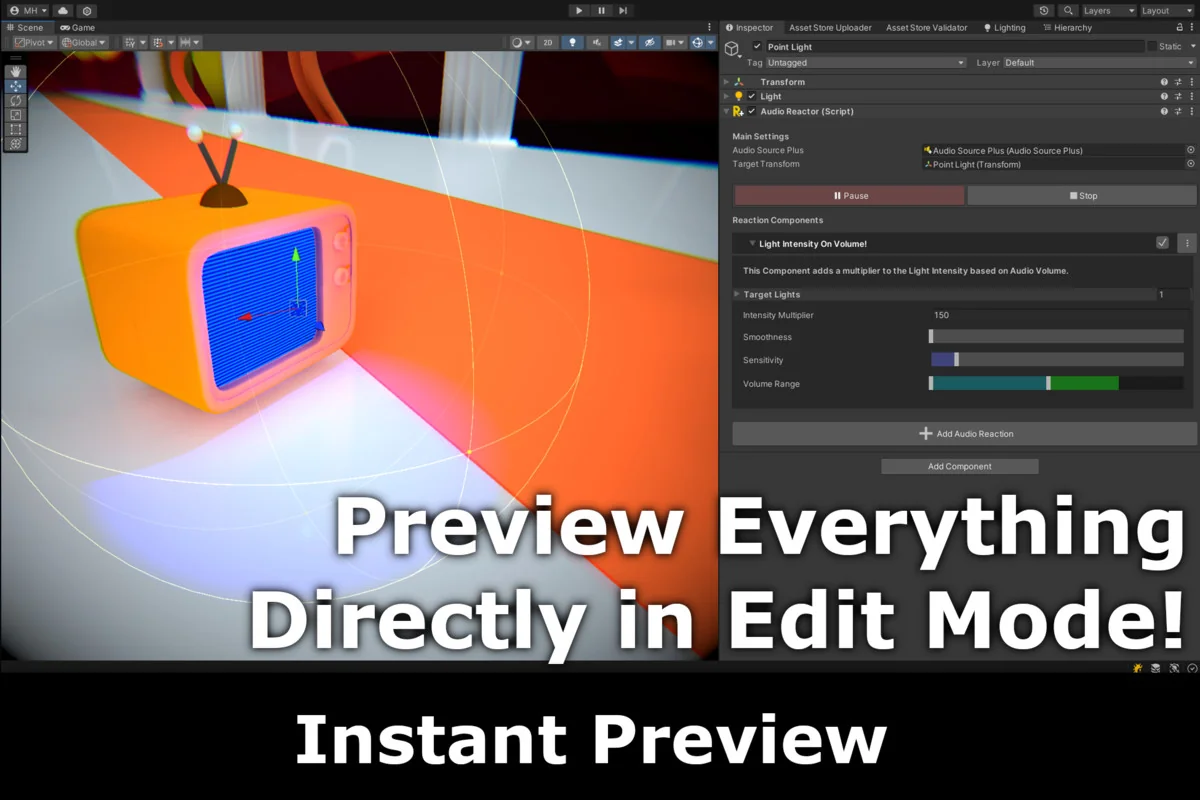
A significant functional advantage of Audio Sync Pro is its ability to function outside of Play Mode. Developers can play, pause, and stop audio directly in the Inspector to see how Reaction Effects will behave in the final build. This immediate feedback loop eliminates the need to repeatedly launch the game to test minor timing adjustments. Seeing the reactors move and the events fire in the editor view allows for fine-tuning the intensity and timing of effects with much higher speed and accuracy.
The lightweight nature of the suite ensures that it remains intuitive for both small projects and more complex scenes. By streamlining the way audio data is accessed and applied to game objects, the tool lowers the barrier for creating immersive, beat-driven gameplay. Whether the goal is a subtle ambient reaction or a full-scale rhythmic action sequence, the toolset provides the necessary infrastructure to bridge the gap between the audio engine and the visual renderer.
Technical Pipeline and Compatibility
Audio Sync Pro is built to support a wide range of Unity projects, maintaining compatibility with both the 2022.3.20 and 6000.2.1 versions of the engine. It is designed to work across various render pipelines, including the Built-in Render Pipeline, Universal Render Pipeline (URP), High Definition Render Pipeline (HDRP), and Custom Scriptable Render Pipelines (SRP). This broad compatibility ensures that the audio-syncing capabilities can be integrated into projects regardless of their visual style or technical requirements.
While the tool is robust across most platforms, there are specific considerations for certain export targets. Currently, WebGL does not support beat detection, though other features of the suite remain functional in that environment. The package itself is contained within a 16.4 MB unitypackage, comprising approximately 100 assets that make up the core logic, components, and timeline interface. This compact size makes it a specialized addition to a project’s audio toolkit without adding significant overhead.
Strategic Implementation for Immersive Audio
The primary utility of Audio Sync Pro lies in its ability to transform audio from a background element into an active participant in the game world. By utilizing the timeline for scripted, high-impact moments and the reactor components for continuous, dynamic movement, developers can craft experiences that feel more cohesive. The tool is particularly suited for genres where rhythm is a core mechanic or for developers looking to add a layer of polish to their environments through reactive lighting and effects. As a relatively new tool in the ecosystem, it focuses on providing a stable, tested foundation for audio-visual synchronization while remaining open to customization and further expansion of its component library.
Preview Images
Protected download
Access this resource
All resources are 100% manually reviewed to eliminate all risks.