"fa182e0cd0a6ea73"{"id":"1001788","slug":"anim-mod-tool-animation-modifier-blend-mirror-reverse-animations-and-mocap","title":"ANIM MOD TOOL [Animation Modifier: blend, mirror, reverse Animations and Mocap]","category":"Animations","engine":"5.2 - 5.5","assetVersion":"Asset Version: 2.5","engineVersion":"Engine Version: 5.2 - 5.5","tag":"Animations","accent":"blue","visual":"animation","summary":"Modify, blend, mirror, and loop character animations across any skeleton directly inside the editor using the interactive Anim Mod Tool viewport workflow.","platform":"Unreal Engine","publishedAt":"2026-10-21T07:41:06.606Z","updatedAt":"2026-10-21T07:41:06.606Z","sourceNotes":[],"fileContents":[],"compatibility":["Unreal Engine","Asset Version: 2.5","Engine Version: 5.2 - 5.5"],"featuredImage":{"alt":"ANIM MOD TOOL [Animation Modifier: blend, mirror, reverse Animations and Mocap]","src":"/wp-content/uploads/published/2026/10/36dd8f6ccf2c-dcc35c11-fd98-4c16-8b51-0ec3ef73c249-8b94cb3a7b.webp"},"hasDownloadLink":true,"downloads":0,"terms":[{"taxonomy":"category","slug":"animations-tools-and-plugins","name":"Animations"}],"galleryImages":[{"src":"/wp-content/uploads/published/2026/10/816ac0c68fe0-a3154e19-f734-4bcb-bb6c-4a2253d58b96-6ca08391c9.webp","alt":"ANIM MOD TOOL [Animation Modifier: blend, mirror, reverse Animations and Mocap]"},{"src":"/wp-content/uploads/published/2026/10/18241e910606-74521e4d-dd82-45bd-9f81-523d16c3f517-447a4ae316.webp","alt":"ANIM MOD TOOL [Animation Modifier: blend, mirror, reverse Animations and Mocap]"},{"src":"/wp-content/uploads/published/2026/10/fff116e7d4c2-f3ee1117-1c7c-4b45-98b0-809119832338-f29ffbb83e.webp","alt":"ANIM MOD TOOL [Animation Modifier: blend, mirror, reverse Animations and Mocap]"},{"src":"/wp-content/uploads/published/2026/10/00d45bdc1bfd-12652ce5-6e3a-4f37-b2c7-01d80844e3ba-38a2ffe4ec.webp","alt":"ANIM MOD TOOL [Animation Modifier: blend, mirror, reverse Animations and Mocap]"},{"src":"/wp-content/uploads/published/2026/10/5cd080e8ae47-d5fd48d3-a1c5-4dde-80df-71b0e9396f13-6f7ad57d66.webp","alt":"ANIM MOD TOOL [Animation Modifier: blend, mirror, reverse Animations and Mocap]"}],"accessPanel":{"kind":"resource","title":"Download this resource","eyebrow":"Free Download","message":"Log in or create a free account to start your download.","fileName":"Anim Mod Tool.7z","safetyNote":"Resources are manually reviewed before listing to improve quality and reduce obvious risks.","actionLabel":"Download Free","resourceType":"Resource archive"},"contentHtml":"\u003ch2\u003eContext Menu Workflow and Asset Preparation\u003c/h2\u003e\u003cp\u003eWorking with animation assets begins directly in the content browser. Right-clicking an animation sequence opens the context menu, where selecting Modify Animation Sequences brings up the main tool interface. Because modifications write directly to the asset upon execution, duplicating animation sequences beforehand is an essential procedural safeguard. Once the tool window is open, you configure specific modifier parameters, verify the results against the integrated viewport, and select the Apply button. Closing the popup window reveals the updated animation sequences ready for playback.\u003c/p\u003e\u003cp\u003eBatch processing behaves selectively depending on the chosen operation. While most deep structural alterations require single-sequence adjustments, operations like Reverse Animation and Mirror Animation can execute across multiple selected assets simultaneously. This capability speeds up the initial turnaround when flipping batches of directional runs or reversing symmetric transition motions.\u003c/p\u003e\u003ch2\u003eLive Viewport Adjustments and Frame Timing Modifiers\u003c/h2\u003e\u003cp\u003eThe interactive workflow relies heavily on the live updating viewport, which updates the character's poses before you commit changes permanently to disk. Animators can select custom preview meshes to match the exact proportions of the target character, making it straightforward to spot clipping, hyper-extension, or alignment issues while tweaking parameters.\u003c/p\u003e\u003cp\u003eTiming adjustments take place through dedicated frame-level modifiers rather than standard timeline stretching alone:\u003c/p\u003e\u003cul\u003e\u003cli\u003e\u003cstrong\u003eRepeat Frames:\u003c/strong\u003e Duplicates chosen frames sequentially, letting you introduce deliberate hit-stops, pauses, or exaggerated weight-holds at critical moments in an attack or landing.\u003c/li\u003e\u003cli\u003e\u003cstrong\u003eRemove Frames:\u003c/strong\u003e Strips unnecessary poses or dead frames out of captured sequences to tighten transitions and eliminate idle drifting.\u003c/li\u003e\u003cli\u003e\u003cstrong\u003eTime Manipulation:\u003c/strong\u003e Targets isolated sections of a motion clip to accelerate or decelerate movement curves without affecting the timing of surrounding frames.\u003c/li\u003e\u003c/ul\u003e\u003ch2\u003eIsolating Chains in Blend With Other\u003c/h2\u003e\u003cp\u003eThe Blend With Other modifier constructs entirely new composite motions by blending a source animation against a selected target asset. Controlling this merge requires dialing in specific interaction values across both timelines:\u003c/p\u003e\u003cul\u003e\u003cli\u003e\u003cstrong\u003eStart Frame:\u003c/strong\u003e Defines the precise frame asset where the incoming blend begins. Setting this to frame 0 starts the merge immediately at the sequence opening.\u003c/li\u003e\u003cli\u003e\u003cstrong\u003eTarget Asset and Target Start Frame:\u003c/strong\u003e Designates the secondary animation clip and sets its initial playback point, coordinating phase alignment between the two actions.\u003c/li\u003e\u003cli\u003e\u003cstrong\u003eTarget Frames Num:\u003c/strong\u003e Sets the duration of the incoming animation to be injected, adjustable up to the maximum frame length of the target.\u003c/li\u003e\u003cli\u003e\u003cstrong\u003eStart Blend Frames Num and End Blend Frames Num:\u003c/strong\u003e Establish the lead-in and lead-out transitions, cushioning the boundary between the original motion and the combined sequence to prevent jarring pops.\u003c/li\u003e\u003cli\u003e\u003cstrong\u003eBone Filter:\u003c/strong\u003e Directs the operation to apply blending exclusively below or above a designated parent bone. For standard character setups, selecting spine01 or higher blends the upper body of the target animation onto the locomotion of the source asset, preserving the lower body stride while layering custom upper-body performances.\u003c/li\u003e\u003cli\u003e\u003cstrong\u003eUse Static Frame from Target:\u003c/strong\u003e Holds a single selected frame from the target asset across the entire blend duration, locking the filtered bones into an exact pose while the remaining skeleton moves freely.\u003c/li\u003e\u003cli\u003e\u003cstrong\u003eInsert as New Frames:\u003c/strong\u003e Splits the source animation and inserts frames from the target clip directly between them without blending data, creating composite sequence chains inside a single asset.\u003c/li\u003e\u003c/ul\u003e\u003cp\u003eBlending operates with the highest degree of fidelity when both involved clips share matching frame rates, preventing interpolation jitter across dense keyframe sets.\u003c/p\u003e\u003ch2\u003eMirror Animation and Make Looped Adjustments\u003c/h2\u003e\u003cp\u003eDirectional adjustments depend on the Reverse Animation and Mirror Animation functions. Running Reverse Animation flips playback ordering and features a dedicated toggle to clear the root bone zero-frame offset, shifting the character's root position back to world origin at frame zero. This root repositioning prevents reversed clips from snapping wildly across the coordinate space when moving backward from their terminal translation.\u003c/p\u003e\u003cp\u003eThe Make Looped modifier creates seamless cyclic playback by calculating transitions between the start and end of a clip. The integrated logic smooths overlapping boundary frames, features an option to append extra frames to the sequence tail for softer blends, and allows picking a parent bone to confine the looping corrections to specific skeletal hierarchies. Enabling root motion within the loop interface keeps root trajectories continuous through repeated cycles, bypassing sliding during locomotion states.\u003c/p\u003e\u003ch2\u003eVersion Capabilities and Hand Poses Blend\u003c/h2\u003e\u003cp\u003eThe tool architecture splits features across engine versions, maintaining core compatibility for Unreal Engine 5.2 through 5.5 while targeting deeper modifications in Unreal Engine 5.6 and above. Standard versions incorporate a 60-pose male and female library, alongside dedicated UE4 Mannequin hand poses, for the Hand Poses blend modifier. This system snaps pre-configured grip and relax states directly onto character hands during locomotion, action, or idle sequences.\u003c/p\u003e\u003cp\u003eIn Unreal Engine 5.6 and later, the v3.0 release revamps the Blend UI and introduces speed adjustment, horizontal blend, automatic motion matching, and custom FPS baking. The Mirror Animation tool in v3.0 expands to support selective include and exclude bone chains alongside specific time interval windows, allowing artists to mirror a single arm or leg during a fraction of the sequence. Make Looped gains integrated animation trimming controls with extended smoothing parameters, while the hand pose module supports exporting, importing, and generating custom hand pose libraries. Subsequent updates in version 3.2 introduce dedicated handling for morph curves, ensuring facial blendshapes and secondary mesh deformations survive complex sequential modifications.\u003c/p\u003e\u003cp\u003eFor projects heavily reliant on raw motion capture data, pairing these skeletal modifiers with the complementary RM Fix Tool handles stubborn root motion extraction, directional offsets, root creation, and IK bone snapping prior to frame-level sequence editing.\u003c/p\u003e\n\n\u003ch2\u003eExplore Similar Assets\u003c/h2\u003e\n\u003cul\u003e\n\u003cli\u003e\u003ca href=\"https://3dcghub.com/root-motion-fix-tool-mocap-animations-root-motion-cleaner-and-fixer/\" title=\"Root Motion Fix Tool | Mocap animations root motion cleaner and fixer\"\u003eRoot Motion Fix Tool | Mocap animations root motion cleaner and fixer\u003c/a\u003e\u003c/li\u003e\n\u003cli\u003e\u003ca href=\"https://3dcghub.com/runtime-metahuman-lip-sync-ai-for-npcs-cc4-genesis-arkit-and-more/\" title=\"Runtime MetaHuman Lip Sync (AI for NPCs) (+ CC4, Genesis, ARKit, and more)\"\u003eRuntime MetaHuman Lip Sync (AI for NPCs) (+ CC4, Genesis, ARKit, and more)\u003c/a\u003e\u003c/li\u003e\n\u003cli\u003e\u003ca href=\"https://3dcghub.com/mocap-online-free-animation-pack-unreal-3d-character-animations-for-fab-market/\" title=\"MoCap Online Free Animation Pack | UNREAL 3D Character Animations for FAB Market\"\u003eMoCap Online Free Animation Pack | UNREAL 3D Character Animations for FAB Market\u003c/a\u003e\u003c/li\u003e\n\u003cli\u003e\u003ca href=\"https://3dcghub.com/mixamo-animation-retargeting-2/\" title=\"Mixamo Animation Retargeting 2\"\u003eMixamo Animation Retargeting 2\u003c/a\u003e\u003c/li\u003e\n\u003cli\u003e\u003ca href=\"https://3dcghub.com/virtual-animation-tools-v6/\" title=\"Virtual Animation Tools V6\"\u003eVirtual Animation Tools V6\u003c/a\u003e\u003c/li\u003e\n\u003c/ul\u003e","contentTextLength":6711,"navigation":{"current":68,"total":3789,"previous":{"id":"1001789","slug":"animal-sculptures","title":"Animal Sculptures","category":"Art \u0026 Statues","platform":"Unreal Engine","updatedAt":"2026-10-21T07:41:58.509Z"},"next":{"id":"1001787","slug":"alien-x4","title":"Alien X4","category":"Characters \u0026 Creatures","platform":"Unreal Engine","updatedAt":"2026-10-21T07:40:22.316Z"}},"relatedResources":[{"id":"13473","slug":"root-motion-fix-tool-mocap-animations-root-motion-cleaner-and-fixer","title":"Root Motion Fix Tool | Mocap animations root motion cleaner and fixer","category":"Animations","engine":"5.3 - 5.5","assetVersion":"Engine version: 5.3 - 5.5","engineVersion":"Asset Version:2.0","tag":"Animations","accent":"blue","visual":"animation","summary":"The Root Motion Fix Tool is a comprehensive plugin designed by an animator to streamline the process of fixing, creating, and cleaning root motion data for any skeleton.","platform":"Unreal Engine","publishedAt":"2026-03-10T17:21:37.000Z","updatedAt":"2026-04-19T15:46:27.000Z","sourceNotes":[],"fileContents":[],"compatibility":["Unreal Engine","Engine version: 5.3 - 5.5","Asset Version: 2.0"],"featuredImage":{"alt":"Root Motion Fix Tool | Mocap animations root motion cleaner and fixer","src":"https://3dcghub.com/wp-content/uploads/2026/03/5427a3c2-c08e-4097-a763-1ae719d725d9.webp"},"hasDownloadLink":true,"downloads":1},{"id":"13487","slug":"runtime-metahuman-lip-sync-ai-for-npcs-cc4-genesis-arkit-and-more","title":"Runtime MetaHuman Lip Sync (AI for NPCs) (+ CC4, Genesis, ARKit, and more)","category":"Animations","engine":"1.0 - 1.18","assetVersion":"Engine version: 5.5 - 5.7","engineVersion":"Asset Version: 1.0 - 1.18","tag":"Animations","accent":"blue","visual":"animation","summary":"Enhance your digital characters with zero-latency, real-time lip synchronization that works completely offline. This plugin supports MetaHumans, CC4, and Genesis characters across multiple platforms.","platform":"Unreal Engine","publishedAt":"2026-03-10T17:28:41.000Z","updatedAt":"2026-07-05T07:03:46.447Z","sourceNotes":[],"fileContents":[],"compatibility":["Unreal Engine","Engine version: 5.5 - 5.7","Asset Version: 1.0 - 1.18"],"featuredImage":{"alt":"Runtime MetaHuman Lip Sync (AI for NPCs) (+ CC4, Genesis, ARKit, and more)","src":"https://3dcghub.com/wp-content/uploads/2026/03/b4351251-5c6e-4b55-9c60-117d4a331ef7.webp"},"hasDownloadLink":true,"downloads":7},{"id":"1001182","slug":"mocap-online-free-animation-pack-unreal-3d-character-animations-for-fab-market","title":"MoCap Online Free Animation Pack | UNREAL 3D Character Animations for FAB Market","category":"Locomotion / Gaits","engine":"5.0+","assetVersion":"","engineVersion":"Engine Version: 5.0+","tag":"Locomotion / Gaits","accent":"blue","visual":"animation","summary":"Explore the MoCap Online Free Animation Pack for Unreal Engine 5, featuring professional motion capture clips for locomotion, conversations, and NPCs.","platform":"Unreal Engine","publishedAt":"2026-09-17T05:23:01.662Z","updatedAt":"2026-09-17T05:23:01.662Z","sourceNotes":[],"fileContents":[],"compatibility":["Unreal Engine","Engine Version: 5.0+"],"featuredImage":{"alt":"MoCap Online Free Animation Pack | UNREAL 3D Character Animations for FAB Market","src":"/wp-content/uploads/published/2026/09/5216d9364a3f-cc20dd84-8631-4125-b427-52d974da7142-45ccece027.webp"},"hasDownloadLink":true,"downloads":1}]}
Animations
ANIM MOD TOOL [Animation Modifier: blend, mirror, reverse Animations and Mocap]
Modify, blend, mirror, and loop character animations across any skeleton directly inside the editor using the interactive Anim Mod Tool viewport workflow.
Working with animation assets begins directly in the content browser. Right-clicking an animation sequence opens the context menu, where selecting Modify Animation Sequences brings up the main tool interface. Because modifications write directly to the asset upon execution, duplicating animation sequences beforehand is an essential procedural safeguard. Once the tool window is open, you configure specific modifier parameters, verify the results against the integrated viewport, and select the Apply button. Closing the popup window reveals the updated animation sequences ready for playback.
Batch processing behaves selectively depending on the chosen operation. While most deep structural alterations require single-sequence adjustments, operations like Reverse Animation and Mirror Animation can execute across multiple selected assets simultaneously. This capability speeds up the initial turnaround when flipping batches of directional runs or reversing symmetric transition motions.
Live Viewport Adjustments and Frame Timing Modifiers
The interactive workflow relies heavily on the live updating viewport, which updates the character's poses before you commit changes permanently to disk. Animators can select custom preview meshes to match the exact proportions of the target character, making it straightforward to spot clipping, hyper-extension, or alignment issues while tweaking parameters.
Timing adjustments take place through dedicated frame-level modifiers rather than standard timeline stretching alone:
Repeat Frames: Duplicates chosen frames sequentially, letting you introduce deliberate hit-stops, pauses, or exaggerated weight-holds at critical moments in an attack or landing.
Remove Frames: Strips unnecessary poses or dead frames out of captured sequences to tighten transitions and eliminate idle drifting.
Time Manipulation: Targets isolated sections of a motion clip to accelerate or decelerate movement curves without affecting the timing of surrounding frames.
Isolating Chains in Blend With Other
The Blend With Other modifier constructs entirely new composite motions by blending a source animation against a selected target asset. Controlling this merge requires dialing in specific interaction values across both timelines:
Start Frame: Defines the precise frame asset where the incoming blend begins. Setting this to frame 0 starts the merge immediately at the sequence opening.
Target Asset and Target Start Frame: Designates the secondary animation clip and sets its initial playback point, coordinating phase alignment between the two actions.
Target Frames Num: Sets the duration of the incoming animation to be injected, adjustable up to the maximum frame length of the target.
Start Blend Frames Num and End Blend Frames Num: Establish the lead-in and lead-out transitions, cushioning the boundary between the original motion and the combined sequence to prevent jarring pops.
Bone Filter: Directs the operation to apply blending exclusively below or above a designated parent bone. For standard character setups, selecting spine01 or higher blends the upper body of the target animation onto the locomotion of the source asset, preserving the lower body stride while layering custom upper-body performances.
Use Static Frame from Target: Holds a single selected frame from the target asset across the entire blend duration, locking the filtered bones into an exact pose while the remaining skeleton moves freely.
Insert as New Frames: Splits the source animation and inserts frames from the target clip directly between them without blending data, creating composite sequence chains inside a single asset.
Blending operates with the highest degree of fidelity when both involved clips share matching frame rates, preventing interpolation jitter across dense keyframe sets.
Mirror Animation and Make Looped Adjustments
Directional adjustments depend on the Reverse Animation and Mirror Animation functions. Running Reverse Animation flips playback ordering and features a dedicated toggle to clear the root bone zero-frame offset, shifting the character's root position back to world origin at frame zero. This root repositioning prevents reversed clips from snapping wildly across the coordinate space when moving backward from their terminal translation.
The Make Looped modifier creates seamless cyclic playback by calculating transitions between the start and end of a clip. The integrated logic smooths overlapping boundary frames, features an option to append extra frames to the sequence tail for softer blends, and allows picking a parent bone to confine the looping corrections to specific skeletal hierarchies. Enabling root motion within the loop interface keeps root trajectories continuous through repeated cycles, bypassing sliding during locomotion states.
Version Capabilities and Hand Poses Blend
The tool architecture splits features across engine versions, maintaining core compatibility for Unreal Engine 5.2 through 5.5 while targeting deeper modifications in Unreal Engine 5.6 and above. Standard versions incorporate a 60-pose male and female library, alongside dedicated UE4 Mannequin hand poses, for the Hand Poses blend modifier. This system snaps pre-configured grip and relax states directly onto character hands during locomotion, action, or idle sequences.
In Unreal Engine 5.6 and later, the v3.0 release revamps the Blend UI and introduces speed adjustment, horizontal blend, automatic motion matching, and custom FPS baking. The Mirror Animation tool in v3.0 expands to support selective include and exclude bone chains alongside specific time interval windows, allowing artists to mirror a single arm or leg during a fraction of the sequence. Make Looped gains integrated animation trimming controls with extended smoothing parameters, while the hand pose module supports exporting, importing, and generating custom hand pose libraries. Subsequent updates in version 3.2 introduce dedicated handling for morph curves, ensuring facial blendshapes and secondary mesh deformations survive complex sequential modifications.
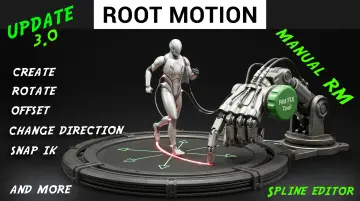
For projects heavily reliant on raw motion capture data, pairing these skeletal modifiers with the complementary RM Fix Tool handles stubborn root motion extraction, directional offsets, root creation, and IK bone snapping prior to frame-level sequence editing.
![ANIM MOD TOOL [Animation Modifier: blend, mirror, reverse Animations and Mocap]](/_img/960/wp-content/uploads/published/2026/10/36dd8f6ccf2c-dcc35c11-fd98-4c16-8b51-0ec3ef73c249-8b94cb3a7b.webp) Animations
Animations![ANIM MOD TOOL [Animation Modifier: blend, mirror, reverse Animations and Mocap]](/_img/960/wp-content/uploads/published/2026/10/816ac0c68fe0-a3154e19-f734-4bcb-bb6c-4a2253d58b96-6ca08391c9.webp)
 Animations
 Animations
 Locomotion / Gaits