Dynamic Mesh Motion Without Rigging
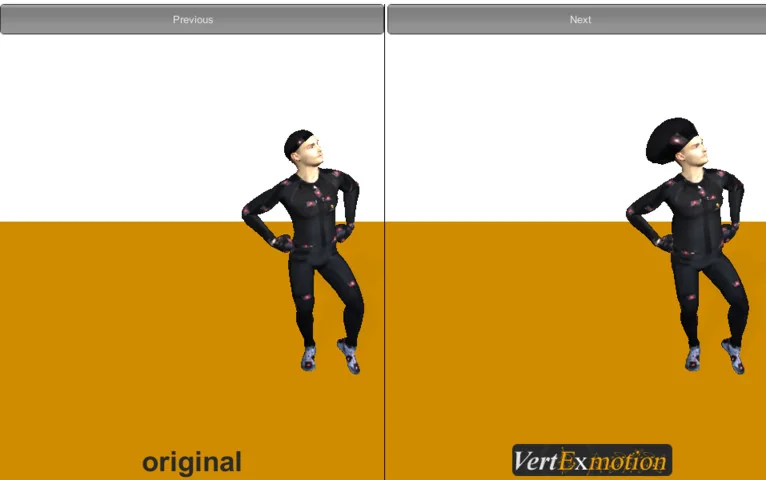
VertExmotion Pro introduces a method for animating specific parts of a mesh, such as hair, clothing, or organic elements, directly within the Unity editor. Unlike traditional animation workflows that require a complex skeletal hierarchy and bone weight painting for every moving part, this system utilizes a shader-based softbody simulation. This approach allows developers to add secondary motion to characters and environments by focusing on the mesh data itself rather than the underlying transform hierarchy. The system is designed to improve game visuals through fast softbody simulations, prioritizing performance and ease of use over complex, physics-heavy calculations.
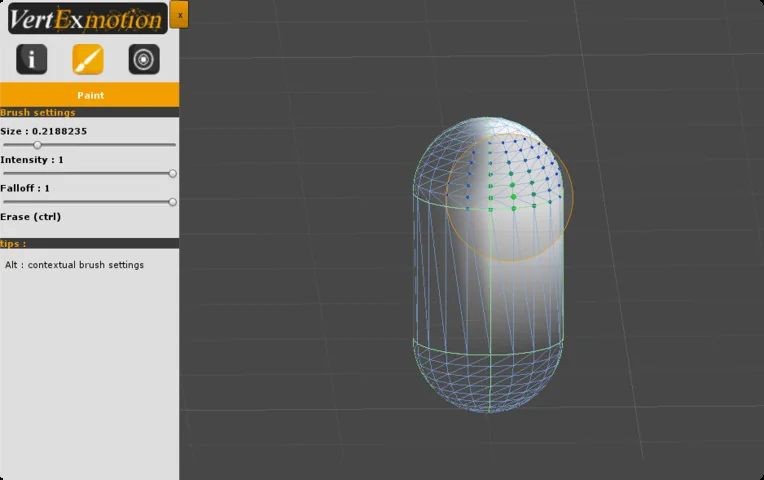
The workflow is centered around a single component that manages the motion properties. Once the component is added to a mesh, the developer identifies which areas should be affected by the simulation. This is handled through a built-in painting tool within the editor, where influence values are applied directly to the vertices. By defining these zones, the developer can control which parts of the mesh remain rigid and which react to movement or external sensors.
The Sensor-Driven Animation Workflow
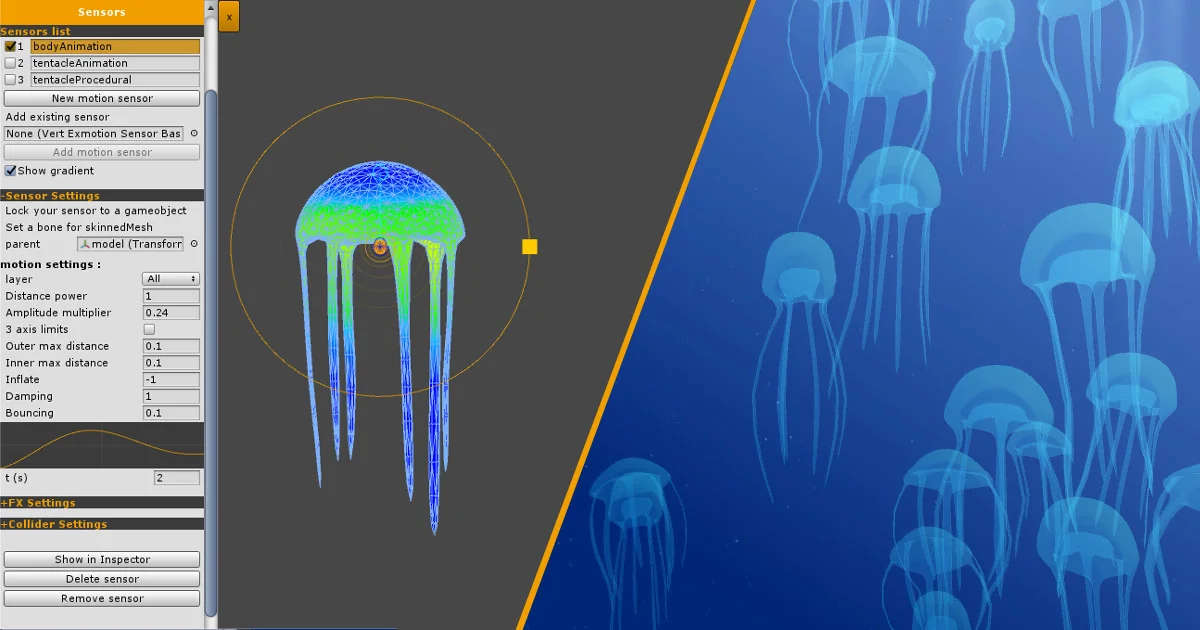
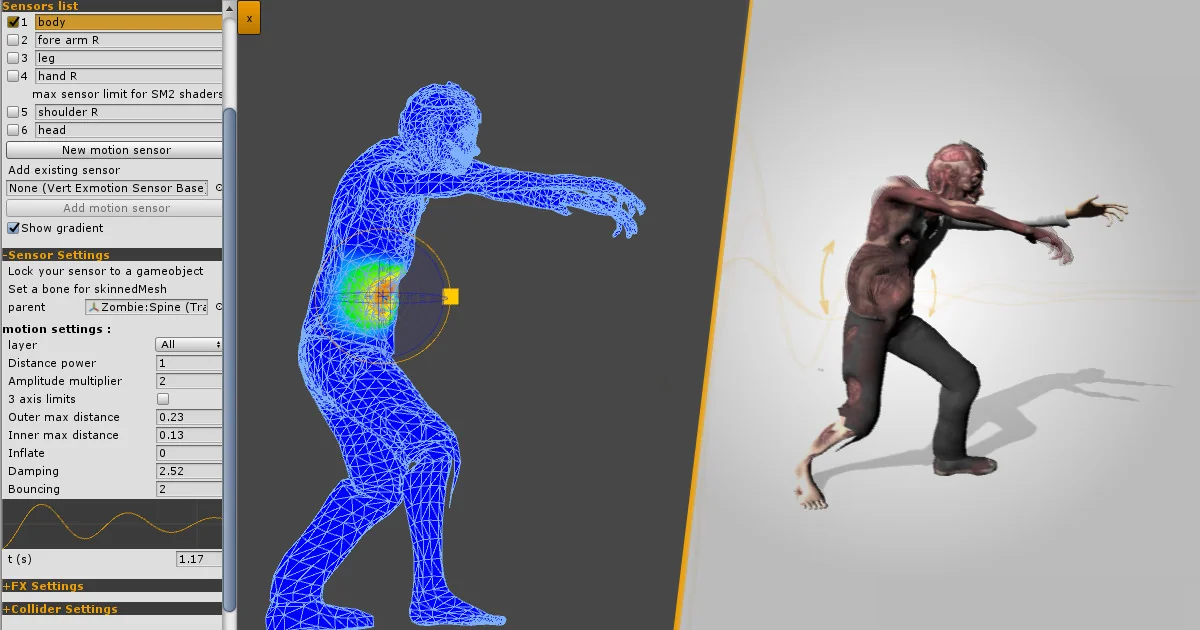
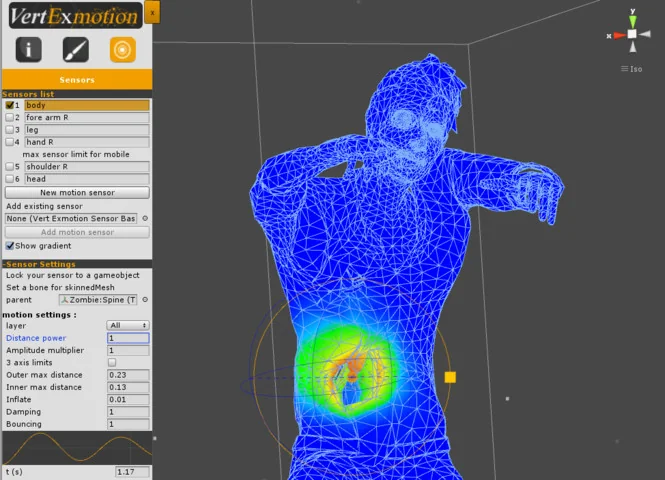
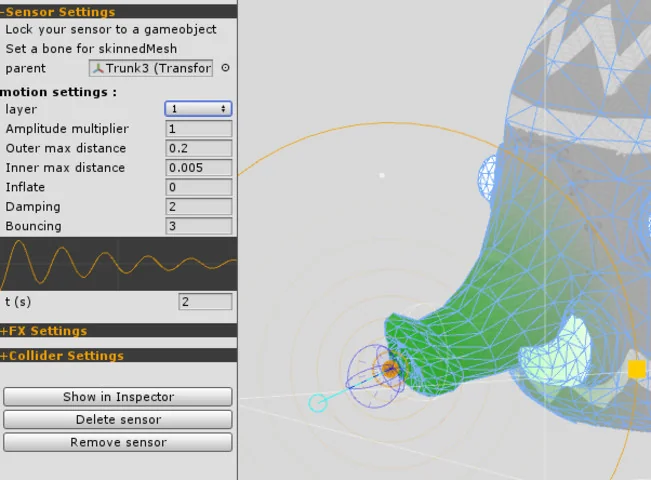
After defining the animation zones through vertex painting, the system relies on sensors to drive the actual motion. These sensors dictate how the painted areas respond to the movement of the object or the environment. Developers can set specific motion properties for these sensors, allowing for a variety of behaviors ranging from stiff cloth to fluid hair movement. The process is designed to be iterative; after setting the motion properties, the effects can be previewed immediately by pressing play in the editor.
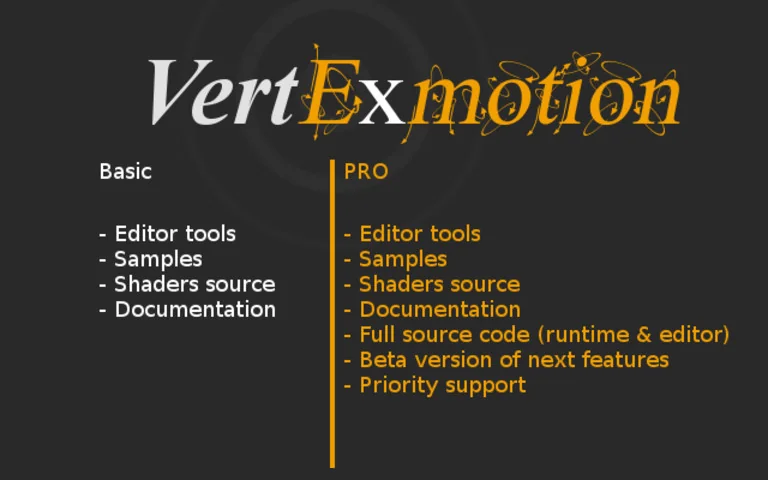
Recent updates have refined these tools to include a UV paint tool with increased accuracy and a bake mesh function. The inclusion of a bake function allows for the current state of a deformed mesh to be saved, providing more flexibility in how the procedural animations are used within a scene. Additionally, the system includes source code, allowing for deeper customization for projects with specific technical requirements.
Vertex Buffer Mode and Shader Compatibility
A significant technical shift in the evolution of the tool is the introduction of the vertex buffer mode. Previously, the system was primarily shader-based, requiring specific compatibility with the shaders applied to the mesh. With the introduction of the new Unity API in version 2021.2 or later, VertExmotion can now operate via the vertex buffer. This change means that shader compatibility is no longer a strict requirement for the system to function, as it can modify the mesh data directly through the buffer. This allows the tool to work seamlessly with any shader, expanding its utility across diverse visual styles.
Despite the move toward vertex buffer independence, the tool maintains extensive compatibility with existing shader frameworks. It integrates with Alloy, Shader Forge, and Amplify Shader Editor. For those using Unity’s native tools, it includes nodes specifically for Shader Graph, as well as support for Global Snow. The tool is compatible with the standard Unity shader and over 40 built-in shaders, and the developer has provided ways to include the system within custom shader code.
Pipeline Integration and Normal Correction
The tool has been updated to support modern Unity render pipelines, including the Universal Render Pipeline (URP) and the High Definition Render Pipeline (HDRP). Specific releases have introduced normal correction for these pipelines, ensuring that as the mesh deforms procedurally, the lighting and reflections remain accurate to the new surface orientation. This is particularly important for high-fidelity assets in HDRP where lighting accuracy is paramount.
The system’s versatility extends to various hardware platforms. It is optimized for use on PC, MAC, iOS, Android, and WebGL, making it a viable option for cross-platform development. Technical refinements in recent versions have addressed specific issues such as GPU skinning warnings, blendshape compatibility in the editor, and UI adjustments for newer versions of Unity. These optimizations ensure that the softbody effects do not interfere with other mesh-based features like GPU-accelerated skinning or complex facial blendshapes.
Practical Application for Visual Enhancement
Because the system is not a full physics-based softbody system, it is specifically tuned for visual polish. It handles the secondary motion that gives life to characters and environments—such as the sway of a cloak or the bounce of a ponytail—without the overhead of collision-heavy physics engines. This makes it an efficient choice for developers who need to add a layer of dynamic movement to their projects without sacrificing frame rate on mobile or web-based platforms. The tool manages the balance between procedural automation and manual control, providing a path to high-quality animation that circumvents the need for exhaustive bone-based rigging.
Visual Breakdown

Protected download
Access this resource
All resources are 100% manually reviewed to eliminate all risks.