Rendering 3D Objects in Unity UI
3D Object Image for UGUI – MiniMap Inventory Portrait provides a streamlined solution for displaying 3D world objects within your user interface. This asset allows developers to render prefabs or scene-based items directly into the UI layer. Consequently, it is an essential tool for projects requiring high-fidelity visual representations of 3D assets in menus or HUDs.
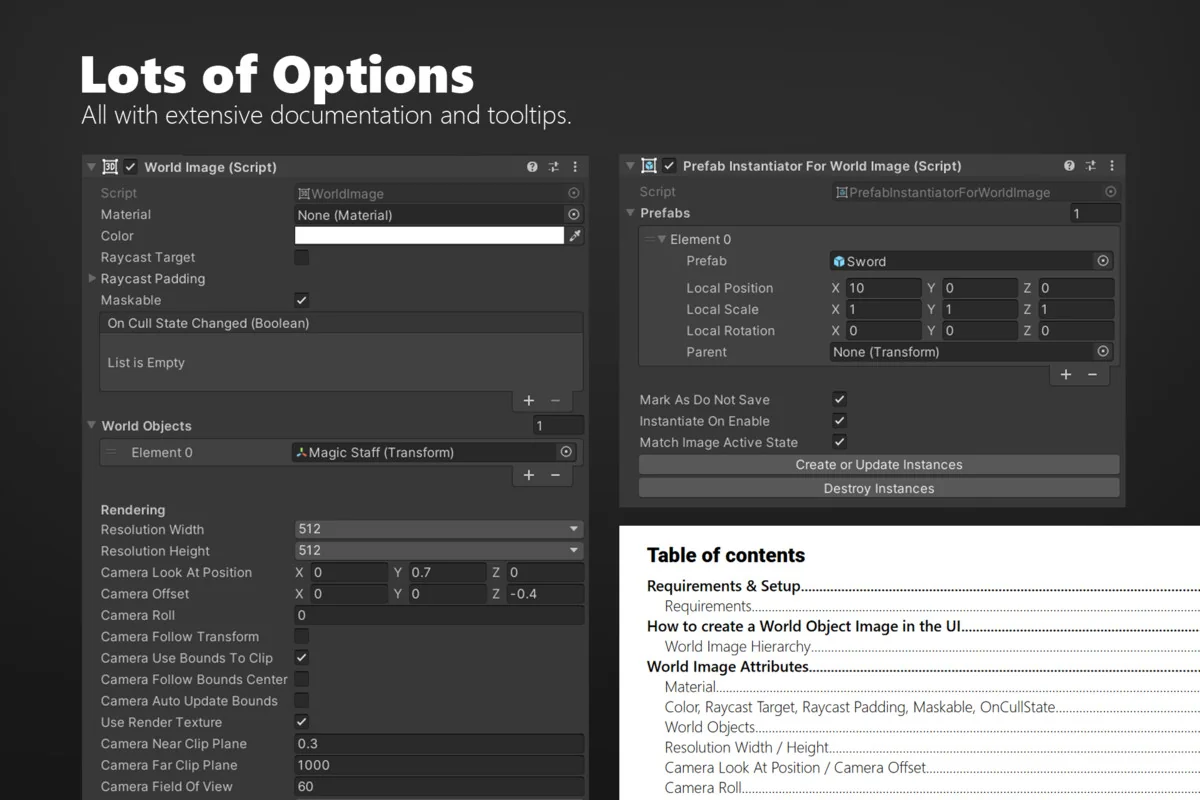
The system is highly versatile and fits various game genres. For instance, you can use it to display 3D items in an inventory UI. To achieve this, you simply add the PrefabInstantiator to the WorldImage component and drag in your desired prefabs. Moreover, the asset is compatible with the default UI (uGUI) system, ensuring it integrates seamlessly with your existing projects.
Versatile Use Cases
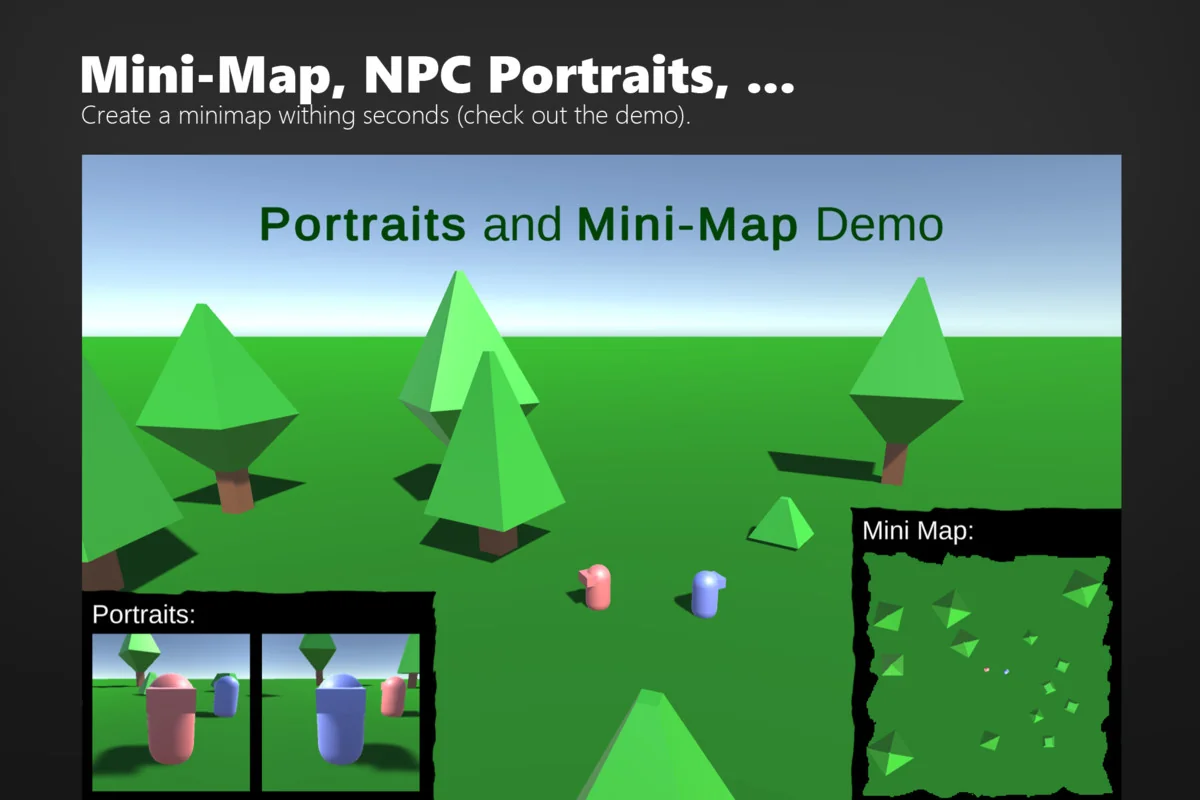
The 3D Object Image for UGUI – MiniMap Inventory Portrait is designed for flexibility. Beyond simple item displays, it is ideal for creating 3D NPC portraits. By dragging the transform of an NPC into the object list, you can generate a live portrait within a UI image. This adds a level of polish and depth to dialogue systems or character selection screens.
Additionally, the tool functions perfectly as a top-down mini-map. By clearing the object list and utilizing the “Camera Look At” and “Camera Position” settings, you can position a camera high above the level. This setup creates a real-time view of the world from a bird’s-eye perspective. Therefore, developers can implement functional maps without complex custom coding.
Simplified Workflow and Technical Compatibility
The developer has prioritized ease of use with a three-step workflow. First, you right-click the canvas and select UI > World Image. Second, you select the specific objects from your scene that you wish to render. Finally, the setup is complete and ready for use. This efficiency allows for rapid prototyping and implementation.
Regarding technical requirements, 3D Object Image for UGUI – MiniMap Inventory Portrait supports all major render pipelines. It works identically in the Built-In Render Pipeline, URP, and HDRP. Furthermore, it is compatible with Unity versions 2021.3 LTS, 2022, 2023, and Unity 6. Because it is based on the default Maskable Graphic, it supports standard UI features like masking and custom materials.
Advanced Features and Optimization
For developers who require deep customization, the creator includes the full source code. This transparency allows for better integration into complex projects. Additionally, the asset includes specific tools to handle motion and transparency. If an object is animating, the “FollowTransform” feature can be used to eliminate jittery motion that might occur when bounds change frequently.
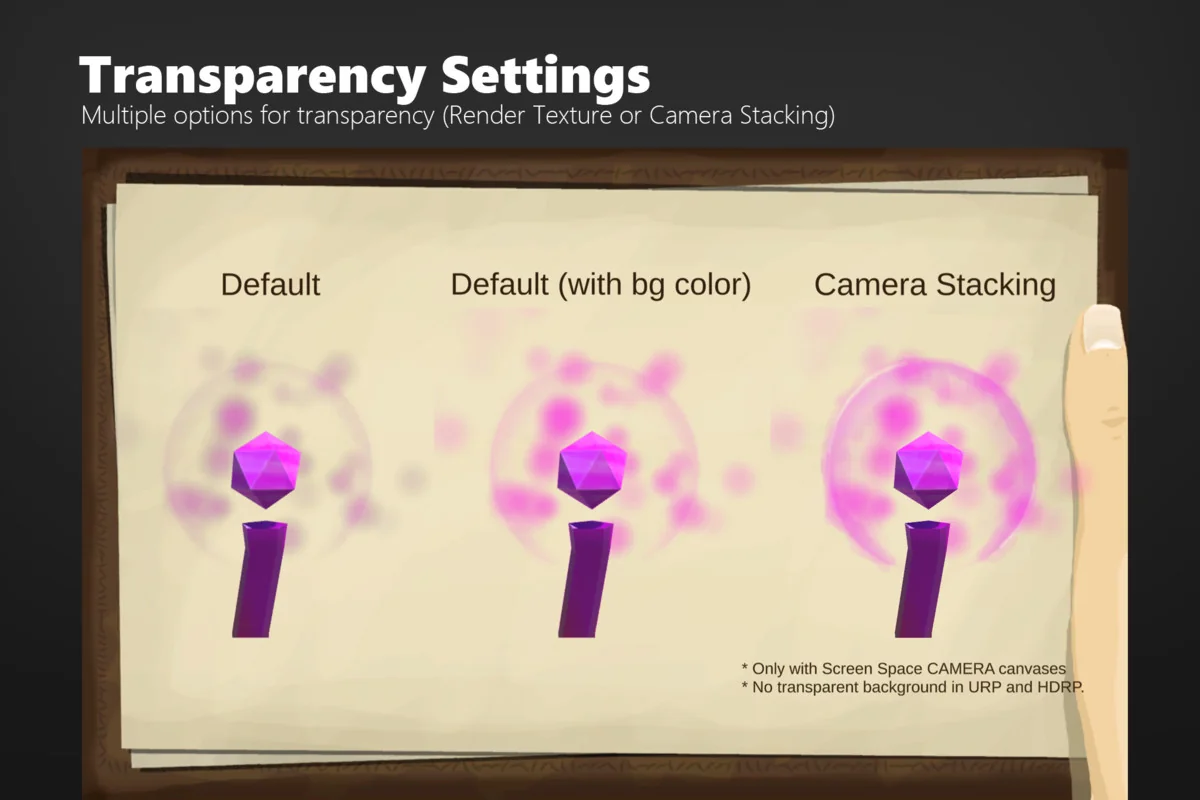
Transparency is supported out of the box, though there are specific workflows for different needs. For example, disabling “Use Render Textures” enables an improved transparency workflow through camera stacking. This flexibility ensures that 3D objects look their best regardless of the UI background. However, developers should consult the included manual for specific caveats regarding transparent objects.
Conclusion
The 3D Object Image for UGUI – MiniMap Inventory Portrait is a robust solution for any developer using uGUI. It simplifies the process of bringing 3D world elements into the 2D interface. Whether you are building a complex RPG inventory or a simple mini-map, this asset provides the necessary tools for professional results. With support for modern Unity versions and all render pipelines, it remains a reliable choice for game development.
Screenshots & Gallery