In Unity scenes that depend on timed motion, text animation, and scripted command flow, Sequine keeps those pieces in one sequencing workflow. It supports animation clips played on demand without Animator Controller restrictions, which makes it practical when the next action needs to be triggered directly instead of routed through a standard controller setup. The same system can sit in scene logic, asset-driven logic, or Timeline work, so the sequence can live where the project already organizes behavior.
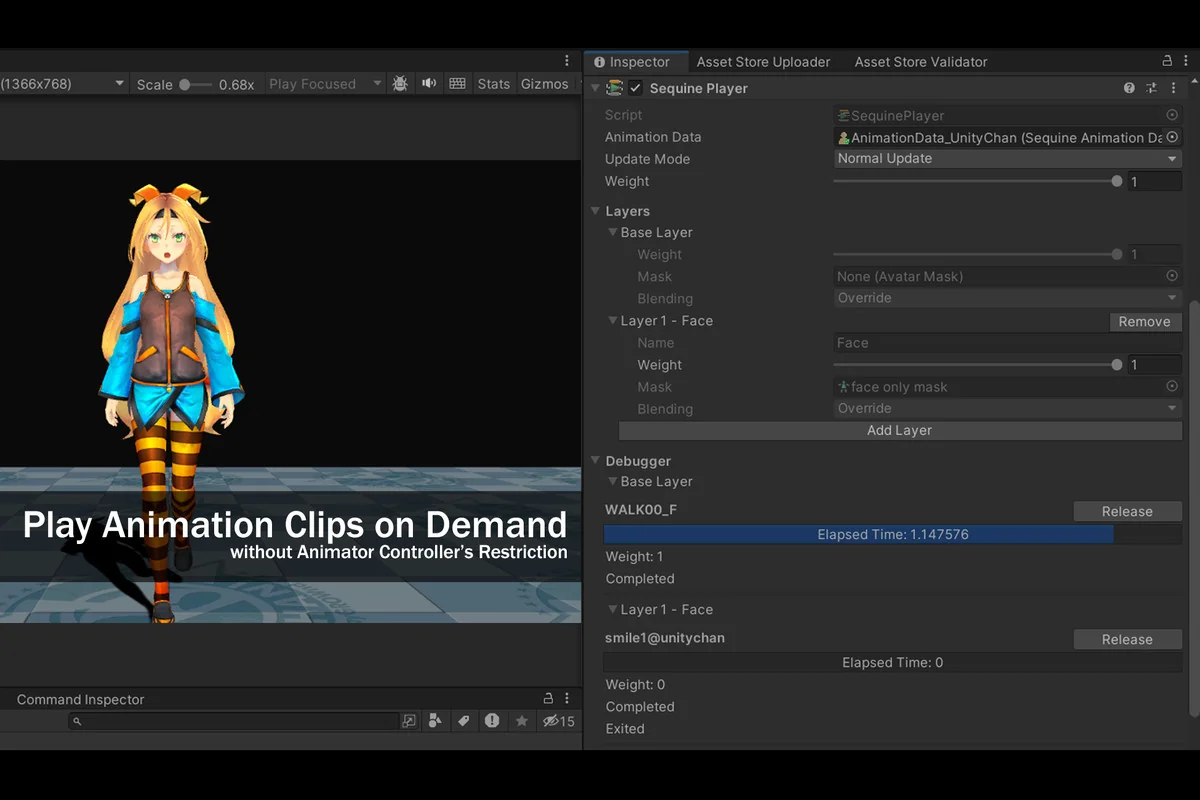
Direct clip playback, with animation layers you can inspect
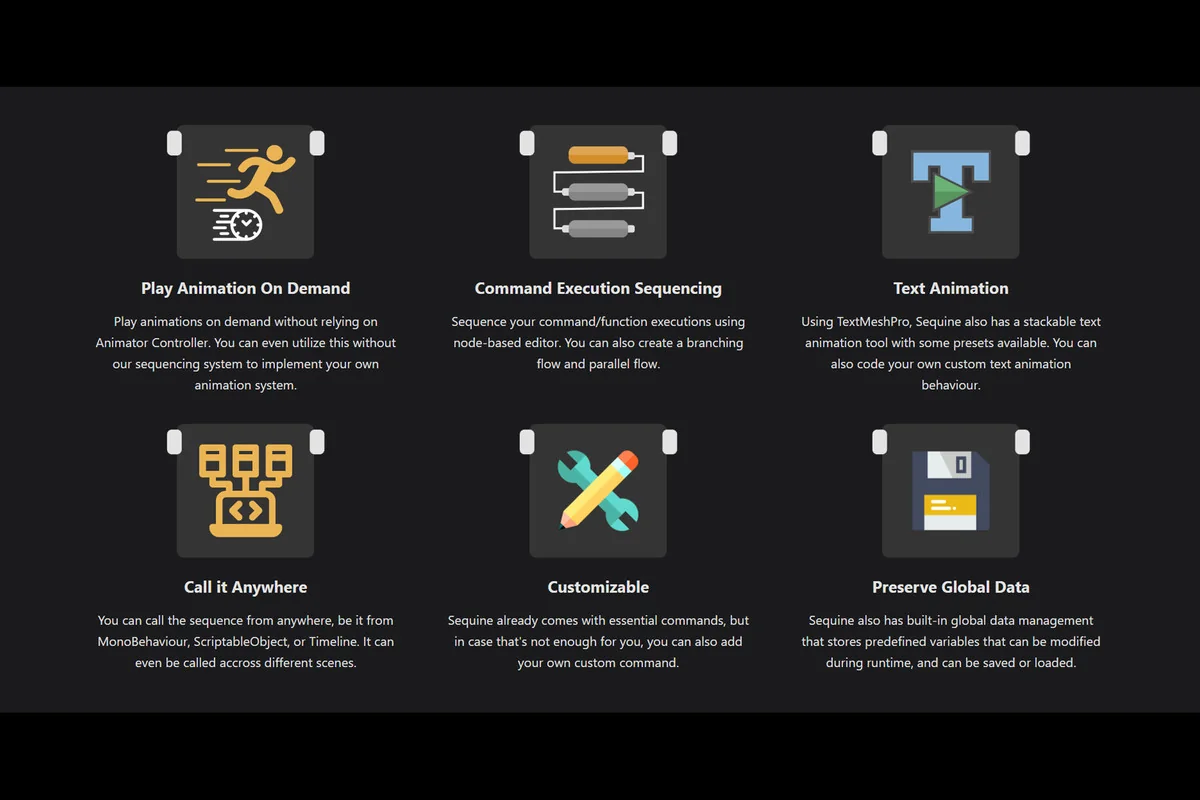
Animation clips can be sequenced directly without the restriction of Animator Controller. That matters when a project wants to trigger motion on demand rather than manage every change through a controller graph. Sequine also supports playing animation clips on demand without relying on Animator Controller at all, which means the same core idea can be used with the sequencing system or used independently to build a custom animation system.
A visualized debugger is included for tracking animation progress and the blendings on each layer. Instead of treating layered motion as a black box, the debugger gives a way to follow what is happening while the animation is moving through its sequence.
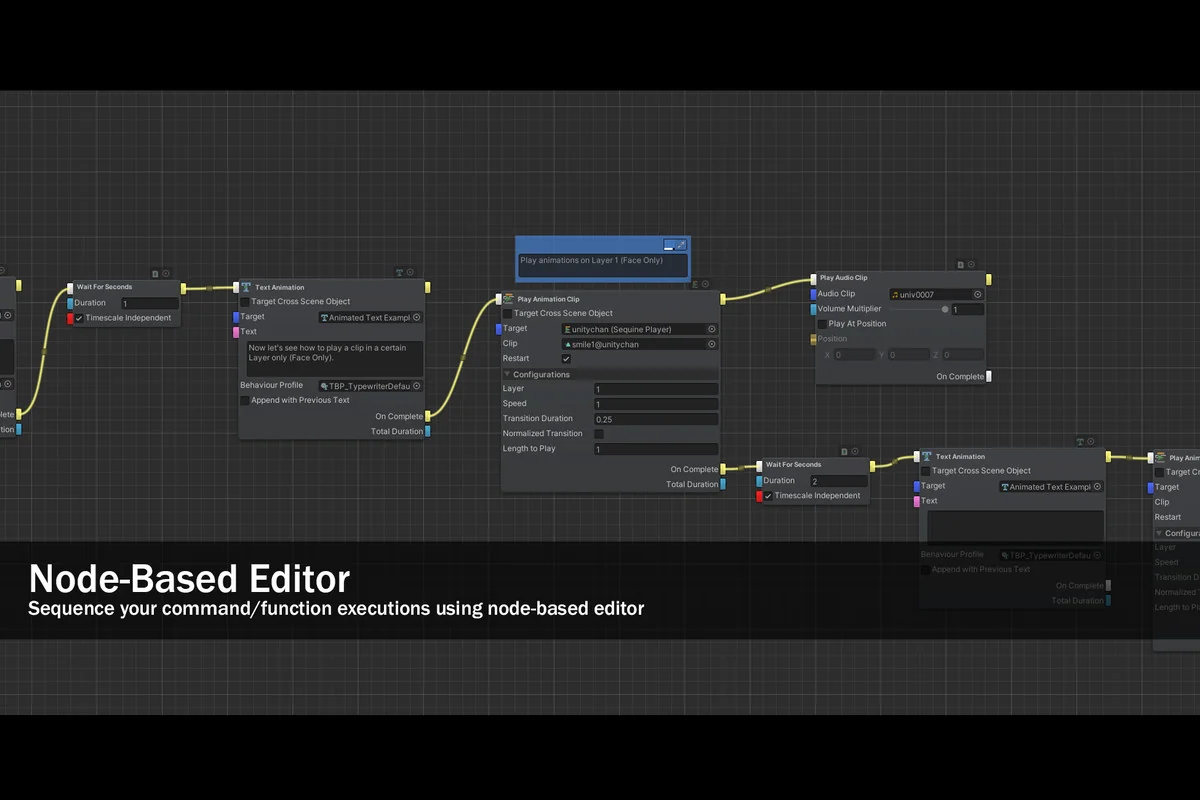
Node-based command execution and branching flow
Script function and command execution are handled through a node-based editor. That lets a sequence move beyond simple one-step triggers and into more structured logic. Branching flow and parallel flow are both supported, so the sequence can split or run alongside other steps when the project needs more than a straight line of execution.
Sequine already comes with essential commands, but custom commands can be added when a project needs something specific. That keeps the command side practical for setups that start with the included behavior and then grow into project-specific logic.
TextMeshPro animation with stackable behavior
Text animation is built around TextMeshPro. Sequine includes a stackable text animation tool, along with some presets that provide an immediate starting point. Because the behavior is stackable, more than one text motion idea can be layered into a single sequence instead of being handled as isolated effects.
Custom text animation behavior can also be coded. That gives the text workflow the same kind of flexibility as the command side and the animation side: a built-in path for getting started, plus room to extend the behavior when a project needs its own motion rules.
Use it from scripts, assets, or Timeline
Sequences can be called from MonoBehaviour, ScriptableObject, or PlayableAsset as in a Timeline clip. They can also be called across different scenes. That makes the setup useful when sequence control is split across gameplay scripts, reusable data assets, and Timeline-driven work, rather than held in one place.
Global data management is included as well. Predefined variables can be stored, changed during runtime, and saved or loaded. For projects that need values to persist through a sequence or carry forward between parts of a workflow, that built-in data layer keeps the system from being limited to one moment in time.
Setup details and project fit
The package requires API compatibility level.NET 4.x /.NET Framework. The original Unity version is 2019.4.41, and supported Unity versions are listed as 2019.4.41, 2022.3.62, and 6000.3.6. Render pipeline compatibility is listed for 2019.4.41f2 with Built-in, HDRP, Custom SRP, and URP, as well as 2022.3.62f2 with Built-in, URP, Custom SRP, and HDRP.
The package type is unitypackage, the asset count is 745, and the latest version is 1.8.3. Full documentation is available, along with a Discord channel for ideas or feature requests. Sequine fits best in projects that want sequencing, animation control, text motion, and command flow to share the same Unity workflow instead of being handled as separate systems.
Asset Gallery
Protected download
Access this resource
All resources are 100% manually reviewed to eliminate all risks.