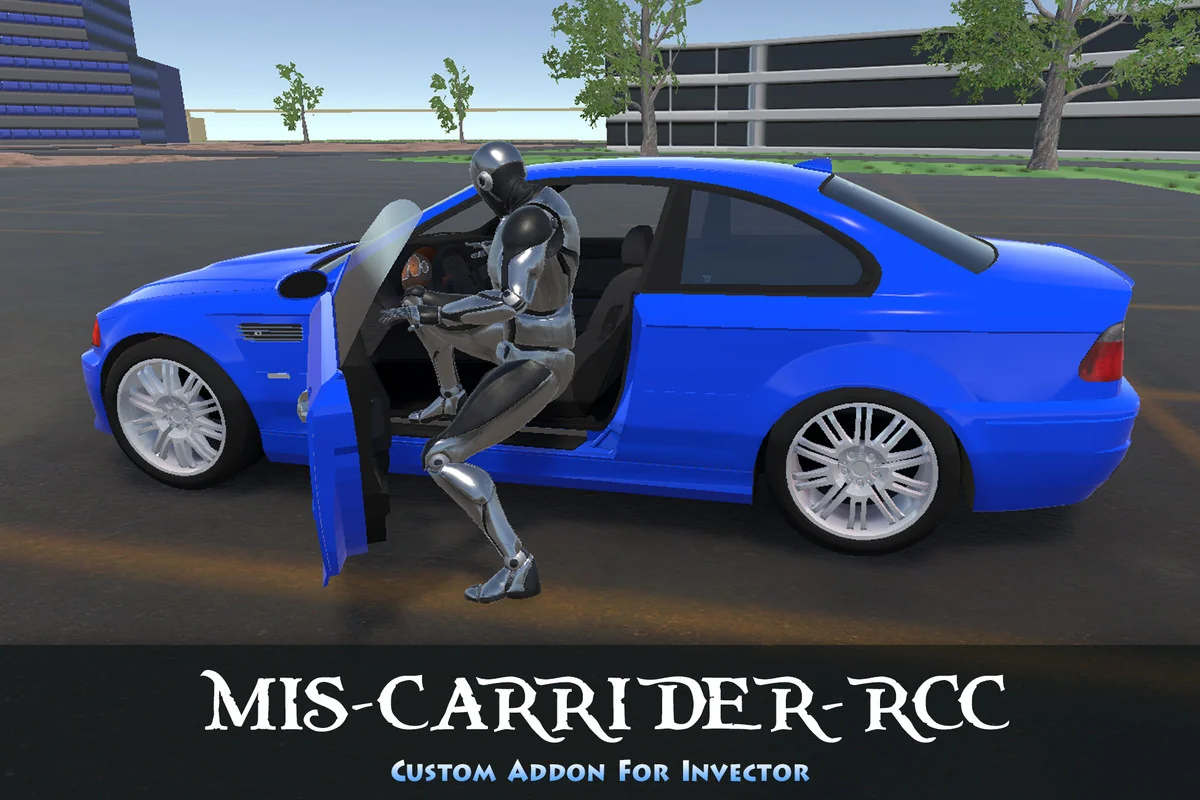
Synchronizing Character and Vehicle Logic
Integrating a third-person character controller with a complex vehicle system often results in a visual disconnect where the character appears static or frozen within the seat. MIS-CarRider-RCC is a dedicated add-on designed to solve this specific synchronization issue within Unity. It functions as a middleware layer that allows the Invector Third Person Template to communicate directly with the Realistic Car Controller (RCC) framework. By utilizing the Middleware For Invector Template (MIS), the system ensures that the character remains in an active state even while seated, allowing for complex interactions rather than simply attaching a deactivated mesh to a vehicle bone.
To function correctly, the system requires a specific stack of dependencies: Invector Third Person Template v2.6.5 or higher, Middleware For Invector Template v2.7.18 or higher, and Realistic Car Controller v4.4.0 or higher. The setup follows a strict sequence, beginning with the core Invector installation, followed by the MIS base, the RCC controller, and finally the CarRider-RCC add-on itself. This layered architecture ensures that the feature-based logic of the MIS packages does not modify the core Invector code, maintaining a clean project structure.
The Rider Pose Editor and Inverse Kinematics
One of the primary technical hurdles in vehicle integration is the precise alignment of the character’s limbs with the vehicle’s interior. The package includes a Rider Pose Editor that operates directly within the Unity Editor mode. This tool allows developers to adjust all Inverse Kinematics (IK) points, including seat positioning and camera offsets, without needing to enter Play mode. This streamlined workflow is designed to reduce the time spent on manual bone positioning and alignment.
While the character is inside the vehicle, the IK system handles several real-time adjustments. The hands are placed on the steering wheel, and the feet are aligned with the pedals. The system is also capable of handling multi-tasking logic; for instance, if the character is equipped with a right-handed weapon, the logic automatically switches to driving with the left hand while the right hand manages the firearm. Additionally, the package includes dedicated gear-shifting animations to reflect the vehicle’s mechanical state.
Camera Systems and View Modes
Visibility is managed through two primary options: the MIS VehicleCamera or the native RCC Camera. When utilizing the MIS VehicleCamera, users have access to three distinct modes: Inside, Outside, and Orbit. These modes can be toggled to provide the appropriate perspective for driving or combat. The system includes a default mode option and simplified setup parameters to ensure the camera transitions smoothly between the character’s on-foot perspective and the vehicle’s internal or external views.
If a project requires the specific features of the Realistic Car Controller’s own camera system, that remains an available alternative. The integration is designed to be flexible, requiring the developer to choose one camera system to avoid conflicts. This choice is critical for maintaining consistent tracking of the vehicle’s movement and the character’s orientation during high-speed maneuvers.
Interaction Logic and Animation Clips
Entry and exit mechanics are handled through a Match Target system, which ensures that the character reaches the correct position relative to the seat and the door. The package includes 24 animation clips that cover various scenarios, including vehicles with and without doors. This ensures that the movement of the door and the character’s transition into the seat appear natural and synchronized.
Because the vThirdPersonController remains active while riding, the transition from driving back to on-foot movement is handled without the need for complex state re-initialization. This active state is what allows for the seamless use of weapons and other character-based actions while the vehicle is in motion.
Physics-Based Ragdoll Triggers
To enhance the realism of accidents and combat, the system incorporates automated ragdoll triggers. The character will automatically enter a ragdoll state under four specific conditions: if the vehicle is overturned, if the vehicle sustains a significant collision with a forward obstacle, if the character or vehicle is struck by explosive weaponry, or if the character attempts to exit the vehicle while it is moving at high speed. This physics-driven response ensures that the character reacts appropriately to the environment’s forces rather than remaining locked in a seated animation during a crash.
Compatibility and Extended Functionality
Beyond its core vehicle integration, the package is built to work alongside other specialized add-ons. It is fully compatible with the MIS-Helicopter-AH64D package, allowing developers to create scenes where characters can alternate between land vehicles and aircraft. It also supports DestroyIt, providing a pathway for projects that require detailed destruction physics for their vehicles.
The package includes a demo scene to illustrate the chained-action logic between the Invector and MIS systems. While the system provides the logic for various vehicle types, it is important to note that specific demo vehicles like the Truck, Cyberpunk car, and Hummer are not included in the package and must be sourced separately. The focus of the add-on remains on the underlying logic and animation required to make any RCC-compatible vehicle work with an Invector character.
Asset Gallery